
TakuSemba/Spotlight
TakuSemba/Spotlight has 3,669 GitHub stars and 363 forks. GitHot measured -1 stars in 24 hours and -3 in 7 days. Last checked 2026-11-11 06:09 UTC. Last push 2022-12-03.
So werden diese Zahlen gemessen
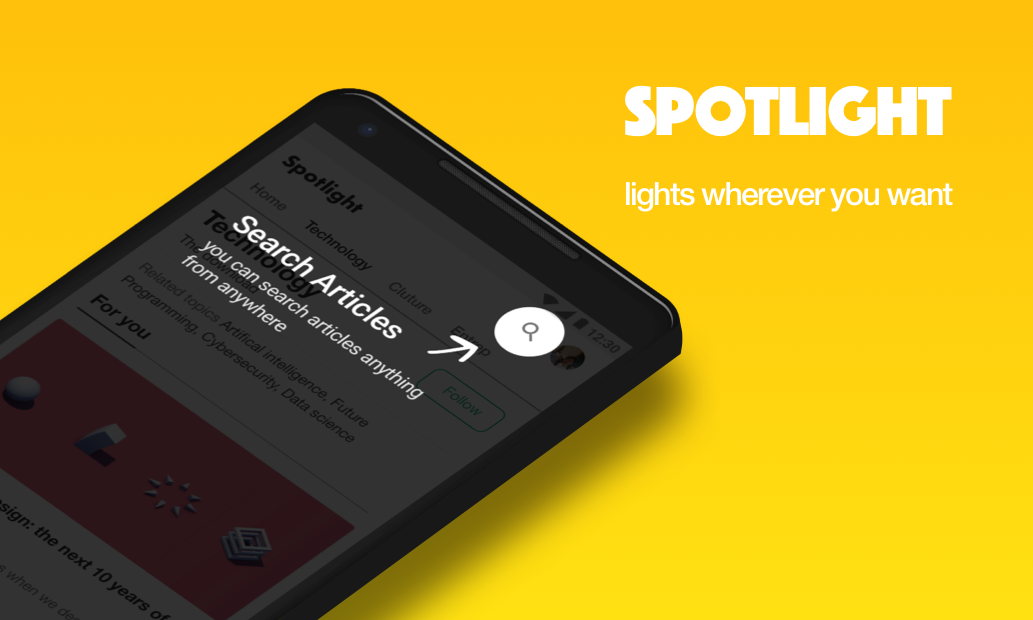
Android Library that lights items for tutorials or walk-throughs etc...
Gemessener Sternzuwachs
- in 24h
- -1
- in 7 days
- -3
- in 15 days
- Verlauf wird gesammelt
- in 1 month
- Verlauf wird gesammelt
Nettoänderungen in überlappenden Zeiträumen, keine Tagessummen. Fehlende Messwerte bleiben leer. Sterne zeigen Interesse, nicht Qualität.
README.md
OriginalSpotlight




Gradle
dependencies {
    implementation 'com.github.takusemba:spotlight:x.x.x'
}
Usage
val spotlight = Spotlight.Builder(this)
    .setTargets(firstTarget, secondTarget, thirdTarget ...)
    .setBackgroundColor(R.color.spotlightBackground)
    .setDuration(1000L)
    .setAnimation(DecelerateInterpolator(2f))
    .setContainer(viewGroup)
    .setOnSpotlightListener(object : OnSpotlightListener {
      override fun onStarted() {
        Toast.makeText(this@MainActivity, "spotlight is started", Toast.LENGTH_SHORT).show()
      }
      override fun onEnded() {
        Toast.makeText(this@MainActivity, "spotlight is ended", Toast.LENGTH_SHORT).show()
      }
    })
    .build()
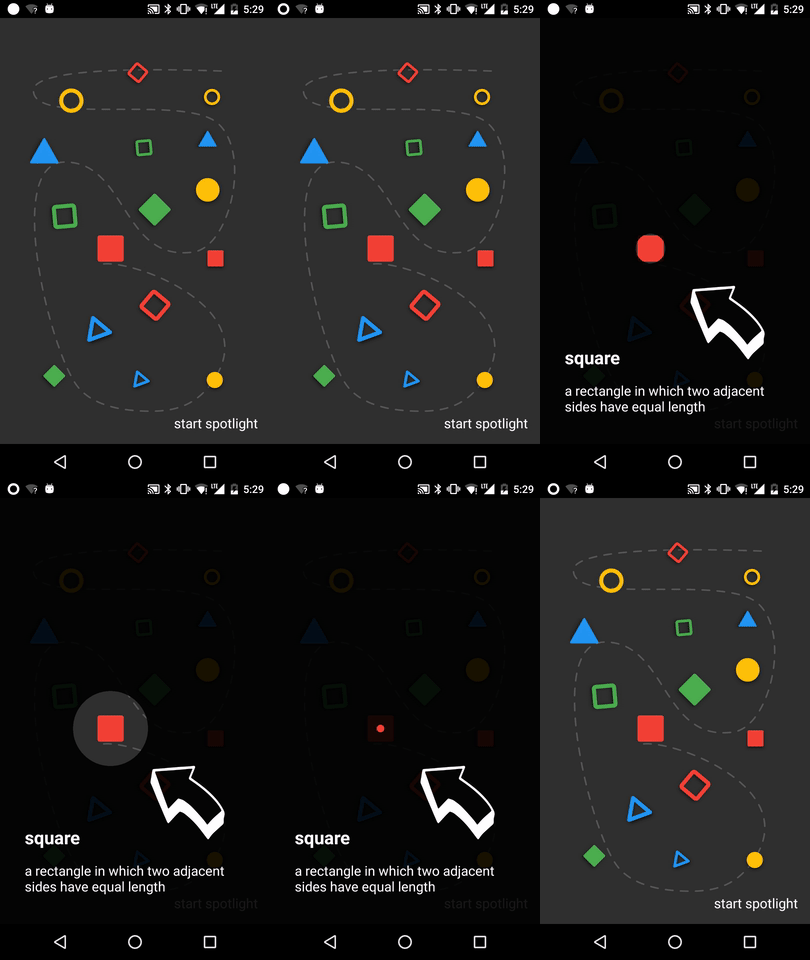
If you want to show Spotlight immediately, you have to wait until views are laid out.
// with core-ktx method.
view.doOnPreDraw { Spotlight.Builder(this)...start() }
Target
Create a Target to add Spotlight.
Target is a spot to be casted by Spotlight. You can add multiple targets to Spotlight.
val target = Target.Builder()
    .setAnchor(100f, 100f)
    .setShape(Circle(100f))
    .setEffect(RippleEffect(100f, 200f, argb(30, 124, 255, 90)))
    .setOverlay(layout)
    .setOnTargetListener(object : OnTargetListener {
      override fun onStarted() {
        makeText(this@MainActivity, "first target is started", LENGTH_SHORT).show()
      }
      override fun onEnded() {
        makeText(this@MainActivity, "first target is ended", LENGTH_SHORT).show()
      }
    })
    .build()
Start/Finish Spotlight
val spotlight = Spotlight.Builder(this)...start()

spotlight.finish()
Next/Previous/Show Target
val spotlight = Spotlight.Builder(this)...start()

spotlight.next()

spotlight.previous()

spotlight.show(2)
Custom Shape
Shape defines how your target will look like.
Circle and RoundedRectangle shapes are already implemented, but if you want your custom shape, it's arhivable by implementing Shape interface.
class CustomShape(
    override val duration: Long,
    override val interpolator: TimeInterpolator
) : Shape {

  override fun draw(canvas: Canvas, point: PointF, value: Float, paint: Paint) {
    // draw your shape here.
  }
}
Custom Effect
Effect allows you to decorates your target.
RippleEffect and FlickerEffect shapes are already implemented, but if you want your custom effect, it's arhivable by implementing Effect interface.
class CustomEffect(
    override val duration: Long,
    override val interpolator: TimeInterpolator,
    override val repeatMode: Int
) : Effect {

  override fun draw(canvas: Canvas, point: PointF, value: Float, paint: Paint) {
    // draw your effect here.
  }
}
Sample
Clone this repo and check out the app module.
Author
- Taku Semba
- Github - (https://github.com/takusemba)
- Twitter - (https://twitter.com/takusemba)
- Facebook - (https://www.facebook.com/takusemba)
Licence
Copyright 2017 Taku Semba.

Licensed under the Apache License, Version 2.0 (the "License");
you may not use this file except in compliance with the License.
You may obtain a copy of the License at

   http://www.apache.org/licenses/LICENSE-2.0

Unless required by applicable law or agreed to in writing, software
distributed under the License is distributed on an "AS IS" BASIS,
WITHOUT WARRANTIES OR CONDITIONS OF ANY KIND, either express or implied.
See the License for the specific language governing permissions and
limitations under the License.
Ähnliche Projekte entdecken
sindresorhus/awesome
😎 Awesome-Listen zu allen möglichen interessanten Themen [HINWEIS: Pull Requests sind vorübergehend deaktiviert, bis ich dazu komme, die vorhandenen abzuarbeiten]
535,210 SterneEbookFoundation/free-programming-books
:books: Frei verfügbare Programmierbücher
401,409 Sternenilbuild/developer-roadmap
Interaktive Roadmaps, Leitfäden und weitere Bildungsinhalte, die Entwicklern helfen, in ihrer Karriere zu wachsen.
371,818 Sternevinta/awesome-python
Die maßgebliche Liste, die die Frage beantwortet: „Ich möchte X in Python machen – welches Tool soll ich verwenden?“
334,046 Sterne