ReshotAI/gaussian-painters
ReshotAI/gaussian-painters has 402 GitHub stars and 21 forks. GitHot measured 0 stars in 24 hours and +1 in 7 days. Last checked 2026-11-16 21:17 UTC. Last push 2024-08-26.
Gemessener Sternzuwachs
- in 24h
- 0
- in 7 days
- +1
- in 15 days
- Aktualisierung verzögert
- in 1 month
- Aktualisierung verzögert
Nettoänderungen in überlappenden Zeiträumen, keine Tagessummen. Fehlende Messwerte bleiben leer. Sterne zeigen Interesse, nicht Qualität.
Über uns
Gaussian Painters using 3D Gaussian Splatting
Maschinelles LernenREADME.md
OriginalGaussian Painters
Sponsored by  LingoSub: Learn languages by watching videos with AI-powered translations.
and  ThumbnailsPro: Instant AI-generated Thumbnails, for videos that get clicks.
This is a fork of 3D Gaussian Splatting. Refer to the original repo for instructions on how to run the code.
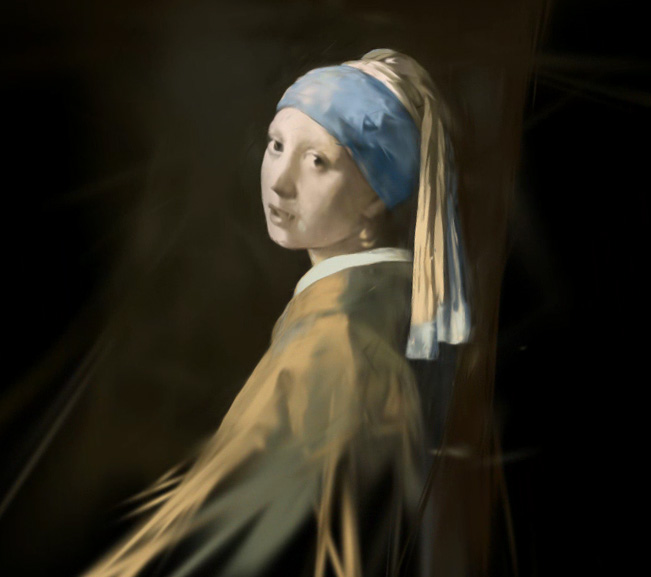
How to create a Gaussian Painter dataset
After having installed the 3D Gaussian Splatting code, run the following command:
python create_dataset.py --img_path /path/to/image --output_dir /path/to/output_dir
You can disable the opacity_reset_interval argument by setting it to 30_000.
You can also set sh_degree to 0 to disable viewdependent effects.
This will create a dataset ready to be trained with the Gaussian Splatting code.
Experiments
- Orthogonal images (using
create_dataset2.py)
https://github.com/ReshotAI/gaussian-painters/assets/16474636/4799f0b6-ed29-412e-9875-4a790ecbbaaf
- Steganography (using
create_dataset3.py)
https://github.com/ReshotAI/gaussian-painters/assets/16474636/9a391361-7d5b-40cc-ab67-97e15e53a913
- Lenticular effect (using
create_dataset5.py)
This code requires to install kornia using pip install kornia
https://github.com/ReshotAI/gaussian-painters/assets/16474636/356ad0f6-3bcb-46fe-a6f8-421138e54222
Visualize the "painting" process
Using the SIBR visualizer, you can visualize the "painting" process during the Gaussian Splatting optimization.
https://github.com/ReshotAI/gaussian-painters/assets/16474636/b29731b6-5fcc-43f5-a169-bfed2b109ce0
How it works?
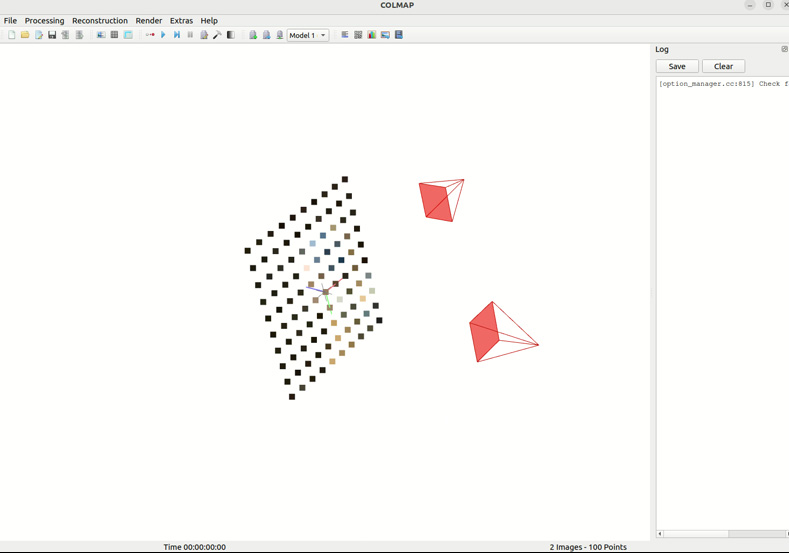
The create_dataset script simply creates a COLMAP output directory with a single camera pointing at a plane. 100 points are sampled from the image and used as initial point cloud for the Gaussian Splatting optimization. A second perpendicular image is also created with a black image as target.