
LottieFiles/dotlottie-web
Über uns
Leistungsstarker Webplayer für Lottie und dotLottie, entwickelt mit Rust und WASM und mit Unterstützung für React, Vue, Svelte, Solid und Web Components.
Web und AppsWhat you can do
- Multi-animation .lottie files — animationId config + loadAnimation(id) to switch between bundled animations
- Named markers — setMarker(name) and markers() to play AE-defined segments
- Frame segments — setSegment(start, end) for arbitrary frame ranges
- Layout — fit (contain / cover / fill / fit-width / fit-height / none) + normalized align: [x, y]
Gemessener Sternzuwachs
- in 24h
- 0
- in 7 days
- +8
- in 15 days
- Verlauf wird gesammelt
- in 1 month
- Verlauf wird gesammelt
Nettoänderungen in überlappenden Zeiträumen, keine Tagessummen. Fehlende Messwerte bleiben leer. Sterne zeigen Interesse, nicht Qualität.
README.md
Original




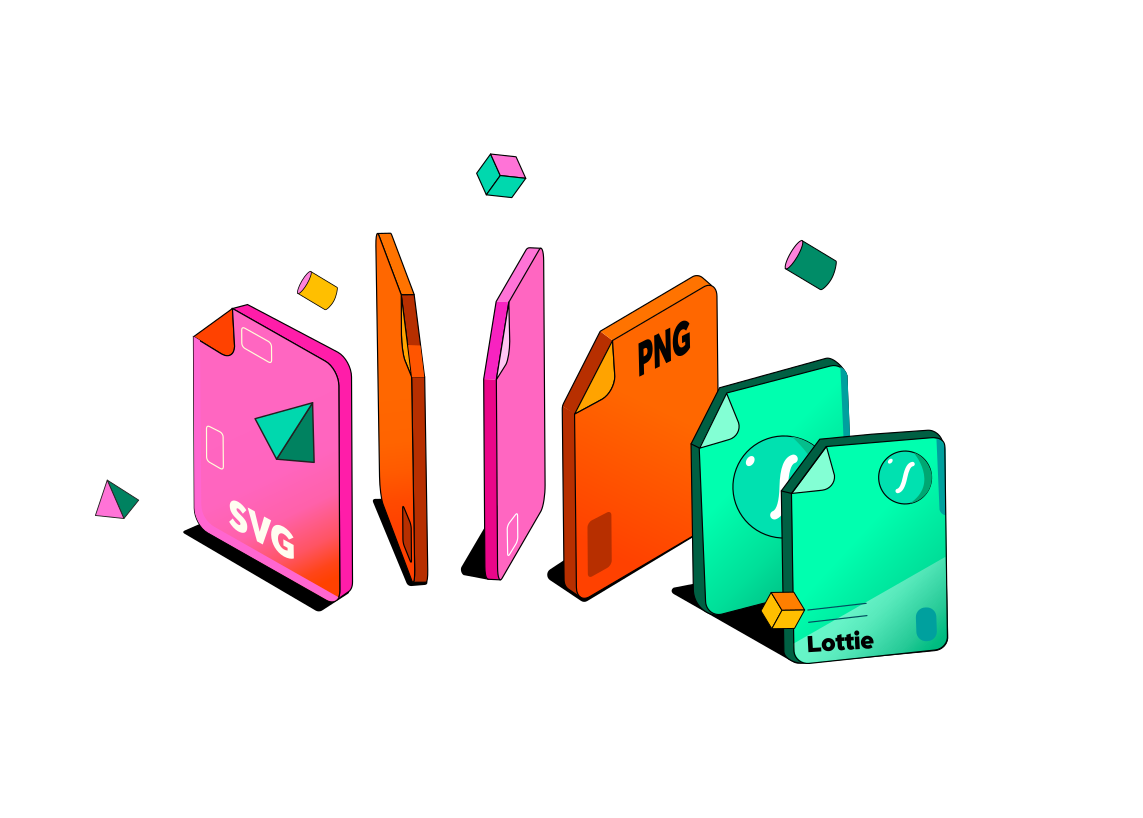
dotLottie Web
The official LottieFiles player for Lottie (.json) and
dotLottie (.lottie) animations on the web — a Rust + WASM core
powered by ThorVG, with Software,
WebGL2, and WebGPU rendering backends and full
dotLottie v2 support (theming, state machines,
and audio).
🌐 Live Viewer · 📊 Perf Playground · 📚 Docs · 🦀 dotLottie-rs
Why dotLottie Web
- 📦 Lottie + dotLottie, one player — point
srcat a classic Lottie.jsonor a.lottiearchive. The.lottieformat bundles multiple animations, themes, state machines, and embedded assets into a single compressed file. - 🦀 Rust + WASM core — powered by
dotlottie-rs, the same engine that ships in iOS, Android, and native dotLottie players. One battle-tested implementation across every platform. - 🎨 ThorVG renderer — an industrial-grade vector graphics engine with the broadest Lottie feature coverage of any web renderer. See the ThorVG Lottie support matrix.
- ⚡ Three rendering backends — Software (Canvas2D), WebGL2, and WebGPU (experimental). Switch with a one-line import change — same
DotLottieclass everywhere. - 📁 dotLottie v2 ready — first-class theming, interactive state machines, and audio in a single
.lottiefile. No userland wiring required. - 🧵 Off-main-thread —
DotLottieWorkerrenders on a Web Worker withOffscreenCanvas, keeping your UI buttery-smooth even with dozens of animations. - ⚛️ 6 first-party SDKs — Vanilla JS, React, Vue, Svelte, Solid, and a Web Component. Plus SSR-safe (Next.js example included) and Node.js 18+ support.
- 🎛️ Rich runtime control — themes, slots (color/scalar/vector/gradient/text/image), markers, segments, layouts (
fit+align), playback modes (forward/reverse/bounce), frame interpolation, 25+ typed events.
Quick Start
Install the package for your framework, then drop in a few lines. The same player loads both Lottie .json and dotLottie .lottie files — just point src at either:
Vanilla JS
npm install @lottiefiles/dotlottie-web
<canvas id="canvas" style="width: 300px; height: 300px"></canvas>
import { DotLottie } from '@lottiefiles/dotlottie-web';

const dotLottie = new DotLottie({
  canvas: document.getElementById('canvas'),
  src: 'https://your-animation-url.lottie',
  autoplay: true,
  loop: true,
});
⚛️ React
npm install @lottiefiles/dotlottie-react
import { DotLottieReact } from '@lottiefiles/dotlottie-react';

const App = () => (
  <DotLottieReact
    src="path/to/animation.lottie"
    loop
    autoplay
  />
);
💚 Vue
npm install @lottiefiles/dotlottie-vue
<script setup>
import { DotLottieVue } from '@lottiefiles/dotlottie-vue';
</script>

<template>
  <DotLottieVue
    style="height: 500px; width: 500px"
    autoplay
    loop
    src="https://path-to-lottie.lottie"
  />
</template>
🧡 Svelte
npm install @lottiefiles/dotlottie-svelte
<script lang="ts">
  import { DotLottieSvelte } from '@lottiefiles/dotlottie-svelte';
</script>

<DotLottieSvelte src="path/to/animation.lottie" loop autoplay />
🔵 Solid
npm install @lottiefiles/dotlottie-solid
import { DotLottieSolid } from '@lottiefiles/dotlottie-solid';

const App = () => (
  <DotLottieSolid
    src="path/to/animation.lottie"
    loop
    autoplay
  />
);
🌐 Web Component (drop-in, no build step)
<dotlottie-wc
  src="https://lottie.host/4db68bbd-31f6-4cd8-84eb-189de081159a/IGmMCqhzpt.lottie"
  autoplay
  loop
></dotlottie-wc>

<script
  type="module"
  src="https://unpkg.com/@lottiefiles/dotlottie-wc@latest/dist/dotlottie-wc.js"
></script>
Or via npm:
npm install @lottiefiles/dotlottie-wc
import '@lottiefiles/dotlottie-wc';
Features
🤖 Interactive State Machines
dotLottie v2 ships state machines built into the file format — no JS glue required. Define states, transitions, and inputs in a single .lottie and drive them at runtime through pointer events, custom events, or input values.
const dotLottie = new DotLottie({
  canvas: document.getElementById('canvas'),
  src: 'interactive-button.lottie',
  stateMachineId: 'main',
  autoplay: true,
});
The player exposes typed events for stateMachineStart, stateMachineTransition, stateMachineStateEntered, custom events, and input changes — perfect for wiring animations into your UI logic.
🎨 Runtime Theming
Switch palettes, animate gradients, swap text, or replace images at runtime — without re-exporting from After Effects. Themes can be embedded in the .lottie manifest or supplied programmatically.
// Use a theme defined in the .lottie manifest
dotLottie.setTheme('dark');

// Or supply a theme object at runtime
dotLottie.setThemeData({
  rules: [
    { id: 'primary', type: 'Color', value: [0.9, 0.2, 0.4, 1.0] },
  ],
});
The full Theme type covers color, scalar, position, vector, gradient, image, and text rules — all keyframe-aware.
🔊 Audio Support
dotLottie files can carry embedded audio tracks alongside the animation timeline — handy for UI sound effects, onboarding flows, or interactive characters. Audio is decoded and played in lockstep with the animation timeline.
Audio is an experimental feature in
dotlottie-rs. Browser autoplay policies still apply — initiate playback from a user gesture.
🧵 Off-Main-Thread Rendering
For pages with many animations, swap DotLottie for DotLottieWorker. Identical API, but rendering happens on a Web Worker with an OffscreenCanvas, freeing the main thread for layout, scrolling, and your app code.
import { DotLottieWorker } from '@lottiefiles/dotlottie-web';

const player = new DotLottieWorker({
  canvas: document.getElementById('canvas'),
  src: 'animation.lottie',
  autoplay: true,
  loop: true,
  workerId: 'shared-pool', // optional: share one worker across many instances
});
All DotLottieWorker methods are async (Promise-returning) since they cross a worker boundary.
⚡ Hardware-Accelerated Rendering
The default Software backend works everywhere. For demanding workloads — many concurrent animations, large canvases, complex masks — opt in to GPU rendering via subpath imports:
// WebGL2 — broadly supported
import { DotLottie } from '@lottiefiles/dotlottie-web/webgl';

// WebGPU — experimental, modern Chromium / Safari TP
import { DotLottie } from '@lottiefiles/dotlottie-web/webgpu';
The class name (DotLottie) and API surface are identical across all three backends, so swapping renderers is a one-line change. Each backend ships its own optimized WASM build via package.json conditional exports.
Want to see the difference on your own hardware? The hosted perf-test page compares Software vs WebGL vs WebGPU vs Skottie/CanvasKit head-to-head.
🖼️ More built-in capabilities
- Multi-animation
.lottiefiles —animationIdconfig +loadAnimation(id)to switch between bundled animations - Named markers —
setMarker(name)andmarkers()to play AE-defined segments - Frame segments —
setSegment(start, end)for arbitrary frame ranges - Layout —
fit(contain/cover/fill/fit-width/fit-height/none) + normalizedalign: [x, y] - Slots — bind dynamic data to color, scalar, vector, gradient, text, and image slots at runtime
- Playback modes —
forward/reverse/bounce/reverse-bouncewith configurable loop counts - Frame interpolation — smooth subframe playback (default on) or pinned to the original AE frame rate
- Freeze on offscreen — automatically pause rendering when the canvas leaves the viewport
- 25+ typed events —
play,pause,frame,complete,loop,load,loadError,freeze, plus the full state-machine event suite
Packages
All packages render both Lottie (.json) and dotLottie (.lottie) animations.
| Package | Description |
|---|---|
| @lottiefiles/dotlottie-web | Core Lottie & dotLottie player — Rust/WASM via dotlottie-rs, Canvas2D / WebGL / WebGPU, Node-isomorphic |
| @lottiefiles/dotlottie-react | React component for Lottie & dotLottie |
| @lottiefiles/dotlottie-vue | Vue 3 component for Lottie & dotLottie |
| @lottiefiles/dotlottie-svelte | Svelte component for Lottie & dotLottie |
| @lottiefiles/dotlottie-solid | Solid component for Lottie & dotLottie |
| @lottiefiles/dotlottie-wc | Framework-agnostic Web Component for Lottie & dotLottie |
Each package README contains its full API reference, prop tables, and event documentation.
dotLottie Viewer
A hosted companion app at lottiefiles.github.io/dotlottie-web for inspecting, debugging, and benchmarking animations:
| Page | What it does |
|---|---|
| Home | Drop a .lottie or .json file to preview rendering and inspect manifest details |
| Playground | Interactive editor for player config, themes, markers, and animation switching |
| Performance | Stress test across 40+ animations — compare Software / WebGL / WebGPU / Skottie head-to-head on your own hardware, with seedable runs for reproducibility |
| List | Gallery of curated animations |
| Embed | Embedding patterns and demos |
Source: apps/viewer/.
Live Examples (CodePen)
@lottiefiles/dotlottie-web — Getting Started · Playback Controls · Dynamic Loading · Worker · Multi Animations · Advanced Layout · Named Markers · Theming · Interactivity
@lottiefiles/dotlottie-react — Getting Started · Custom Controls
@lottiefiles/dotlottie-vue — Getting Started
Local Examples
Runnable example apps in examples/:
| Example | Package | Highlights |
|---|---|---|
| web | @lottiefiles/dotlottie-web |
State machines, themes, segments, layout |
| web-node | @lottiefiles/dotlottie-web (Node.js) |
Server-side rendering to a buffer |
| react | @lottiefiles/dotlottie-react |
Renderer selection (canvas/webgl/webgpu) |
| vue | @lottiefiles/dotlottie-vue |
Theme toggling, ref/event patterns |
| solid | @lottiefiles/dotlottie-solid |
Signal-based state, theme/animation switching |
| wc | @lottiefiles/dotlottie-wc |
Web Component usage and event delegation |
| next | @lottiefiles/dotlottie-react (Next.js) |
SSR-safe rendering with the App Router |
pnpm install && pnpm run build
cd examples/web
pnpm run dev
Browser & Runtime Support
Required: WebAssembly · Canvas 2D · Fetch API
Optional (enhances perf): Web Workers · OffscreenCanvas · WebGL2 (for /webgl) · WebGPU (for /webgpu)
| Browser | Minimum version |
|---|---|
| Chrome | 57+ (Mar 2017) |
| Firefox | 52+ (Mar 2017) |
| Safari | 11+ (Sep 2017) |
| Edge | 16+ (Oct 2017) |
| iOS Safari | 11+ (Sep 2017) |
Node.js: 18+ — @lottiefiles/dotlottie-web is isomorphic and runs server-side for thumbnail generation, frame extraction, or static rendering.
Development
Prerequisites: Node.js 22+, pnpm 10+
git clone https://github.com/LottieFiles/dotlottie-web.git
cd dotlottie-web
pnpm install
pnpm run build    # Build all packages
pnpm run dev      # Watch mode
pnpm run test     # Run tests
pnpm run lint     # Lint
pnpm run format   # Format
Contributing
Contributions are welcome! Read the Contributing Guidelines and Code of Conduct before opening an issue or PR.
License
Ähnliche Projekte entdecken
Wird geladen…