
Loganavter/BlinkTable
Über uns
Desktop workspace for comparing images and video frames: split views, magnifiers, quality metrics, ranking and export.
Kreativität und MedienGemessener Sternzuwachs
- in 24h
- 0
- in 7 days
- +1
- in 15 days
- Verlauf wird gesammelt
- in 1 month
- Verlauf wird gesammelt
Nettoänderungen in überlappenden Zeiträumen, keine Tagessummen. Fehlende Messwerte bleiben leer. Sterne zeigen Interesse, nicht Qualität.
README.md
Original
BlinkTable




A desktop app for comparing images and video frames.
Read this in other languages: Русский
What it is
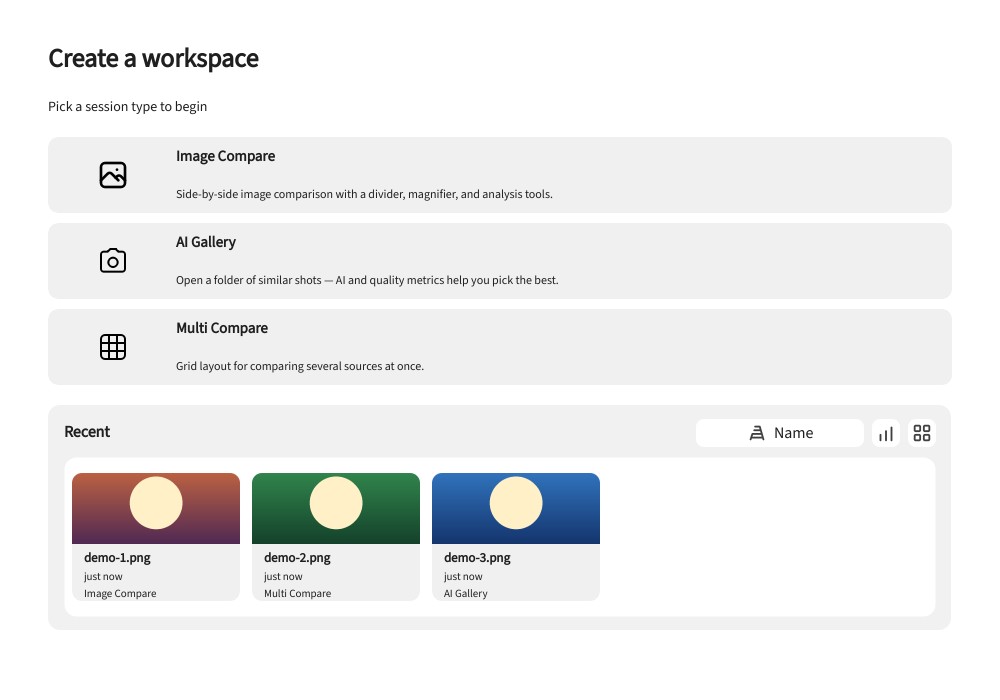
BlinkTable opens on a session picker and gives you independent workspace tabs: a two-image Image Compare, a synchronized N-image Multi Compare, and an AI Gallery for triaging, measuring and AI-scoring whole folders. Several workspaces stay open at once, and each tab keeps its own images, zoom and help.
Overview
For retouching, upscaling QA and photography, where the comparison itself is what you deliver. It opens images at enormous megapixel resolutions without lag.
Below, the app's individual tabs.
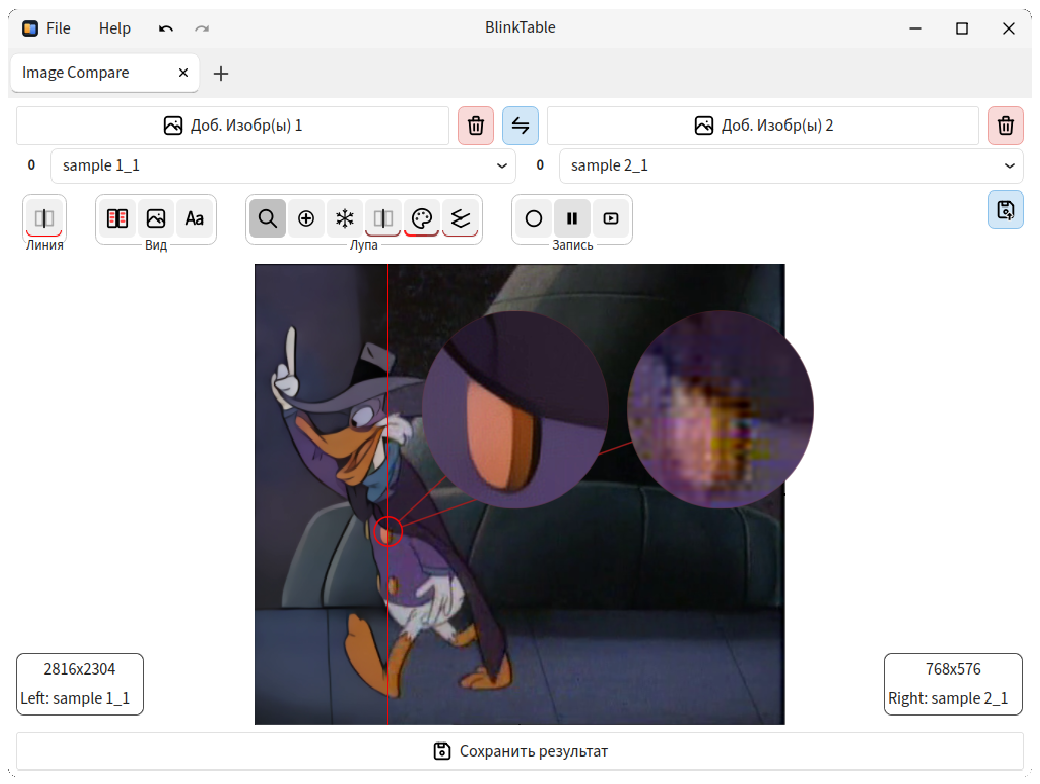
Image Compare puts two images side by side behind one divider. Magnifiers are separate objects: several at once, each with its own area, zoom and colours. A comparison can be saved as a full-resolution image, or recorded in the app and trimmed in the built-in mini video editor.
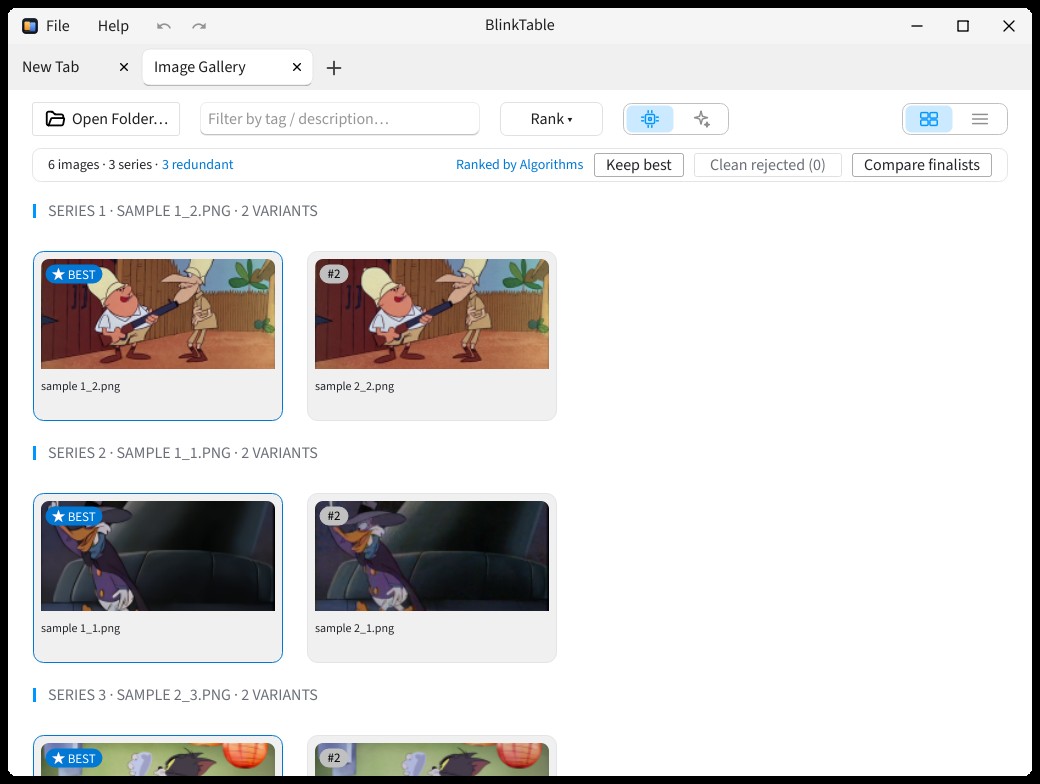
AI Gallery does a lot of the work of comparing large series for you, quickly: local algorithms or an AI model over OpenRouter judge the shots, and the interface lets you move through the gallery without waiting.
Multi Compare is a convenient grid for comparing more than two images at once, dozens and up to hundreds, with one shared zoom and pan for the whole grid and slots you can drag.
Agent control
An AI agent can drive a running window and read what is in it: open a tab, take
a comparison apart, capture a surface. Start the app with BLINKTABLE_CONTROL=1
so it can connect, then ask in plain words.
Reference: docs/dev/MCP.md.
Install
| Platform | How |
|---|---|
| Windows | Installer from Releases |
| Linux (AUR) | yay -S blinktable |
| Linux (Flatpak) | flatpak install io.github.Loganavter.Improve-ImgSLI, then flatpak run io.github.Loganavter.Improve-ImgSLI |
| From source | git clone https://github.com/Loganavter/BlinkTable.git && cd BlinkTable && ./launcher.sh run |
Details: docs/INSTALL.md, docs/LAUNCHER.md.
Limits
Images above 65536 px on a side open only when the format can be read in a
stream; otherwise the decoder stops at that size.
Documentation
| Topic | Where |
|---|---|
| Install, launcher | docs/INSTALL.md, docs/LAUNCHER.md |
| Controlling the app from an agent | docs/dev/MCP.md |
| Development setup | CONTRIBUTING.md |
| Architecture and contracts | docs/dev/ARCHITECTURE.md, docs/dev/CONTRACTS.md |
| Vision and history | VISION.md, docs/DEVELOPMENT_HISTORY.md |
| Open engineering debt | docs/dev/TODO.md |
Contributing
Setup, coding guidelines and packaging notes are in CONTRIBUTING.md. Issues and pull requests go through GitHub.
Maintainers
 Nebulosa |
AUR package maintainer
Maintains the Arch Linux (AUR) package since the start of the project. 

|
License
GPL-3.0-or-later, see LICENSE. Runtime dependencies, including PySide6/Qt under LGPL-3.0-or-later, are listed in THIRD_PARTY_LICENSES.md.
Star history
Ähnliche Projekte entdecken
Wird geladen…