
JeroenMols/LandscapeVideoCamera
JeroenMols/LandscapeVideoCamera has 1,208 GitHub stars and 287 forks. GitHot measured 0 stars in 24 hours, -1 in 7 days, and -2 in 15 days. Last checked 2026-11-24 22:20 UTC. Last push 2020-05-28.
What you can do
- Forces the users to rotate their device to landscape
- Allows to specify the filename, or have the library generate one for you
- Max video duration
- audio/video codec
Gemessener Sternzuwachs
- in 24h
- 0
- in 7 days
- -1
- in 15 days
- -2
- in 1 month
- Verlauf wird gesammelt
Nettoänderungen in überlappenden Zeiträumen, keine Tagessummen. Fehlende Messwerte bleiben leer. Sterne zeigen Interesse, nicht Qualität.
Über uns
Leistungsstarke, anpassbare Android-Kamera mit präziser Kontrolle über Videoqualität und Dateigröße, die Aufnahmen auf das Querformat beschränkt.
Kreativität und MedienREADME.md
OriginalLandscapeVideoCamera


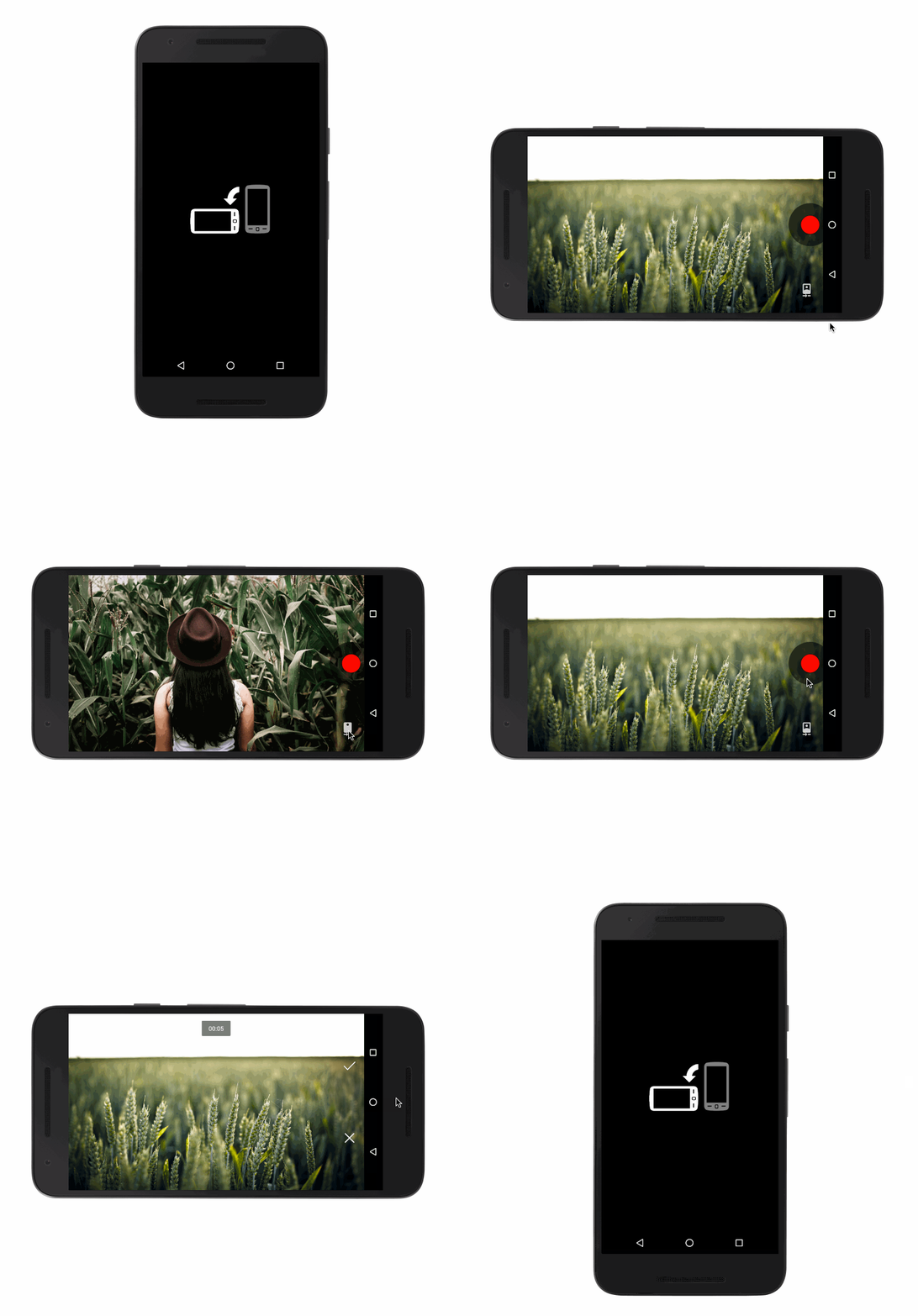
Highly flexible Android Camera which offers granular control over the video quality and filesize, while restricting recordings to be landscape only.

There are a number of issues with the default Android intent to capture videos (MediaStore.ACTION_VIDEO_CAPTURE) which led me to create this library project:
- The default intent only accepts integer quality parameters of 0 (MMS quality) or 1 (highest available quality), using the intent extra
MediaStore.EXTRA_VIDEO_QUALITY. - The default intent does not return the URI of the recorded file if it was specified when launching the intent.
- The default intent doesn't care whether users capture their video in portrait mode or landscape.
Features
This library provides a full and reusable custom camera, which:
- Forces the users to rotate their device to landscape
- Allows to specify the filename, or have the library generate one for you
- Allows very granular control over the capture settings:
- Resolution
- Bitrate
- Max filesize
- Max video duration
- audio/video codec
- switch between front and rear facing camera
- ...
How to use
- Add the Jitpack repository to your project:
          repositories {
              maven { url "https://jitpack.io" }
          }
- Add a dependency on the library:
compile 'com.github.jeroenmols:LandscapeVideoCamera:1.3.0'
- Specify the VideoCaptureActivity in your manifest:
         <activity
             android:name="com.jmolsmobile.landscapevideocapture.VideoCaptureActivity"
             android:screenOrientation="sensor" >
         </activity>
- Request the following permissions in your manifest:
         <uses-permission android:name="android.permission.RECORD_AUDIO" />
         <uses-permission android:name="android.permission.CAMERA" />
         <uses-permission android:name="android.permission.WRITE_EXTERNAL_STORAGE" />
- Create a CaptureConfiguration using the Builder
         // Choose one of both
         CaptureConfiguration.Builder builder = new CaptureConfiguration.Builder(CaptureResolution resolution, CaptureQuality quality);
         CaptureConfiguration.Builder builder = new CaptureConfiguration.Builder(int videoWidth, int videoHeight, int bitrate);

         // Optional
         builder.maxDuration(maxDurationSec);
         builder.maxFileSize(maxFileSizeMb);
         builder.frameRate(framesPerSec);
         builder.showRecordingTime();         // Show the elapsed recording time
         builder.noCameraToggle();            // Remove button to toggle between front and back camera

         // Get the CaptureConfiguration
         CaptureConfiguration configuration = builder.build();
Note: When no CaptureConfiguration is specified, a default configuration will be used.
Note 2: Subclass the CaptureConfiguration class to set more advanced configurations. (codecs, audio bitrate,...)
- Launch the
VideoCaptureActivityfor result, add the CaptureConfiguration as an parcelable extraEXTRA_CAPTURE_CONFIGURATIONand optionally add a String extraEXTRA_OUTPUT_FILENAME.
         final Intent intent = new Intent(getActivity(), VideoCaptureActivity.class);
         intent.putExtra(VideoCaptureActivity.EXTRA_CAPTURE_CONFIGURATION, config);
         intent.putExtra(VideoCaptureActivity.EXTRA_OUTPUT_FILENAME, filename);
         startActivityForResult(intent, RESULT_CODE);
- Check the resultcode (
RESULT_OK,RESULT_CANCELLEDorVideoCaptureActivity.RESULT_ERROR) and in case of success get the output filename in the intent extraEXTRA_OUTPUT_FILENAME.
Questions
Thanks

Ähnliche Projekte entdecken
Wird geladen…