
Han-DongHeun/nvmon has 35 GitHub stars and 2 forks. GitHot measured 0 stars in 24 hours, +1 in 7 days, and +1 in 15 days. Last checked 2026-11-22 12:47 UTC. Last push 2026-11-19.
Gemessener Sternzuwachs
- in 24h
- 0
- in 7 days
- +1
- in 15 days
- +1
- in 1 month
- Verlauf wird gesammelt
Nettoänderungen in überlappenden Zeiträumen, keine Tagessummen. Fehlende Messwerte bleiben leer. Sterne zeigen Interesse, nicht Qualität.
Über uns
A fancy NVIDIA GPU monitor for the terminal. One Python file, no dependencies.
Maschinelles LernenREADME.md
Originalnvmon
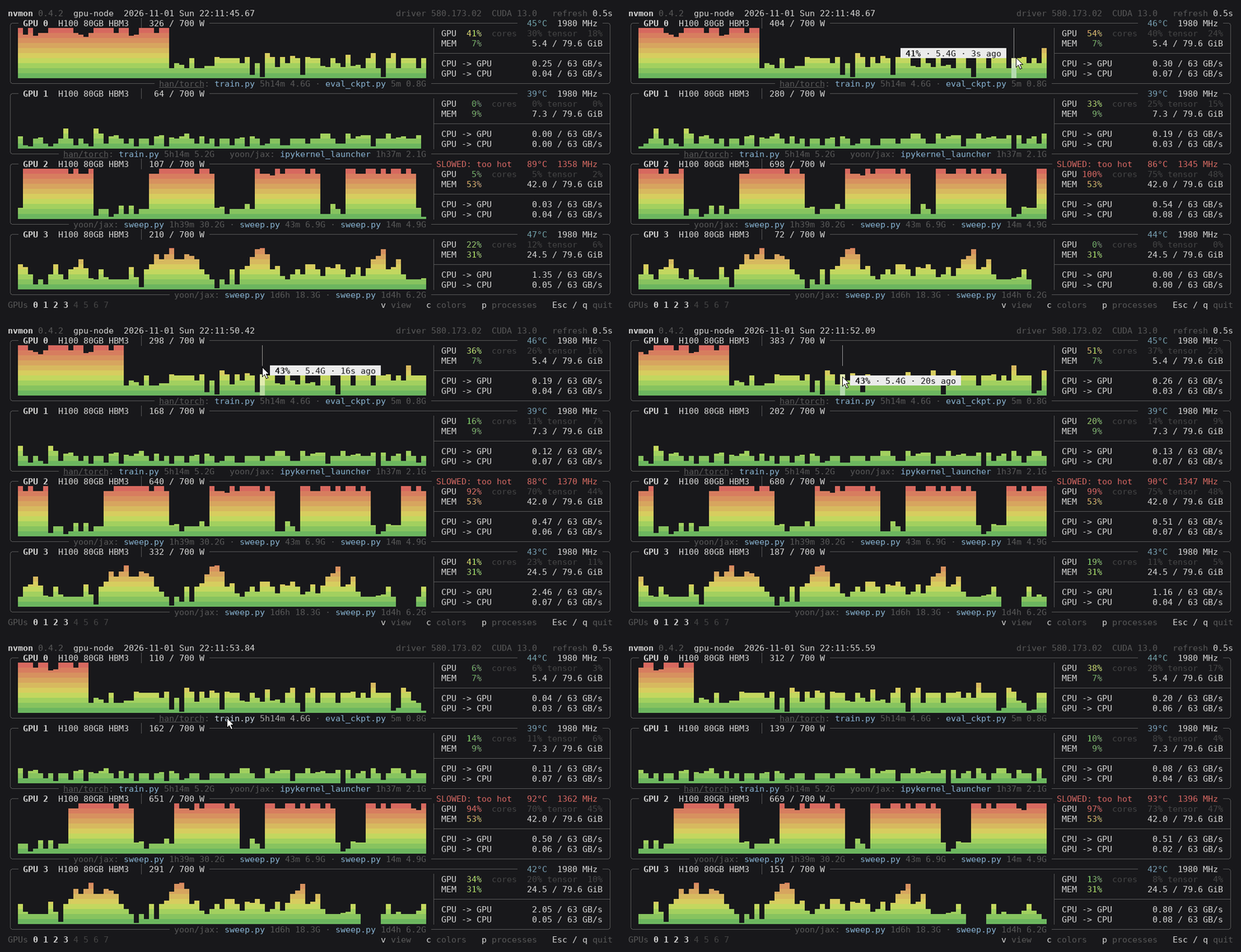
A fancy NVIDIA GPU monitor for the terminal. One Python file, no dependencies.
Install
uv tool install nvmon # or: pipx install nvmon
Or into the environment you are in:
pip install nvmon
Or no install at all (Linux, macOS): the one file nvmon.py, run with Python 3.6.1+ (on a server without internet, copy it over).
curl -LO https://github.com/Han-DongHeun/nvmon/releases/latest/download/nvmon.py && python3 nvmon.py
Start
nvmon              # Esc, q or Ctrl+C to quit
nvmon -i 1         # refresh every second (default: 0.5; - and + change it)
nvmon -g 0,2,4-7   # only these GPUs
ssh -t HOST nvmon  # over ssh: -t gives it a terminal
Reading a box
- Top edge: number and name, power against its limit, temperature, fan (if any), clock. Warnings
only when something is off:
SLOWED: power cap | too hot | hw brake,PCIe DEGRADED: x16 -> x8. - Graph: utilization over time, newest on the right. Point at it for the utilization and memory at that moment.
- GPU: how much of the time a kernel ran. cores / tensor (H100 and newer): how busy that kept the chip, and how much was Tensor Core math. One small kernel running nonstop reads GPU 100 % with cores at 30 %.
- MEM: memory in use. CPU -> GPU, GPU -> CPU: PCIe traffic against the link's top speed.
- Bottom edge: the processes, with run time and memory, by account and conda environment (yours
underlined);
+3for those that did not fit.
The bottom line has the GPU numbers (click one, or press its key, to hide or show it), the keys, and a newer release when there is one.
Views: v
v goes through four views, V back. What does not fit scrolls (wheel, PgUp/PgDn).
Graphs: one under the other; two columns only when they would not fit, as here with eight GPUs in 31 lines.
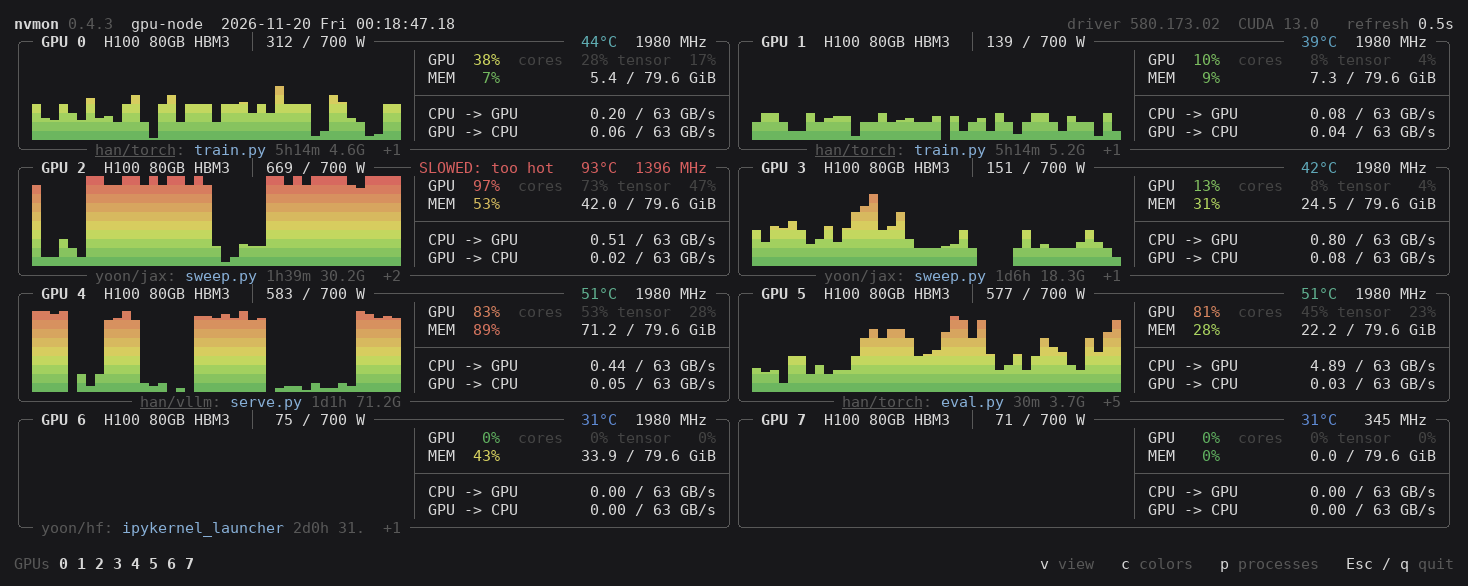
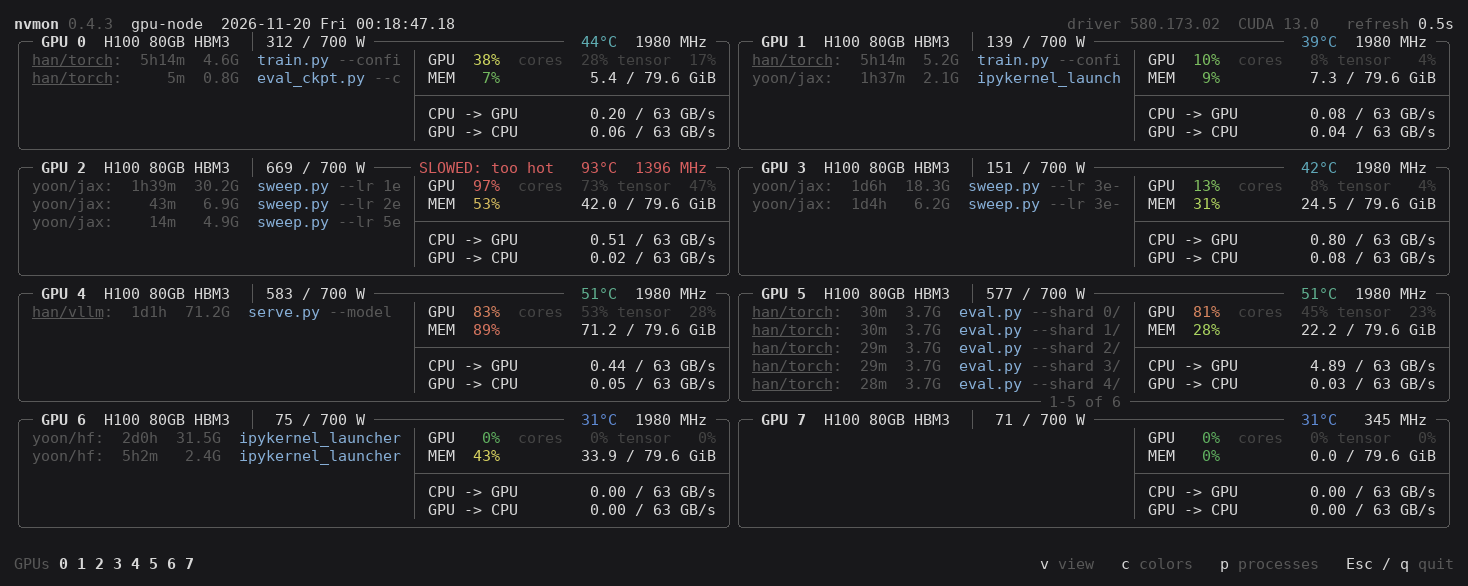
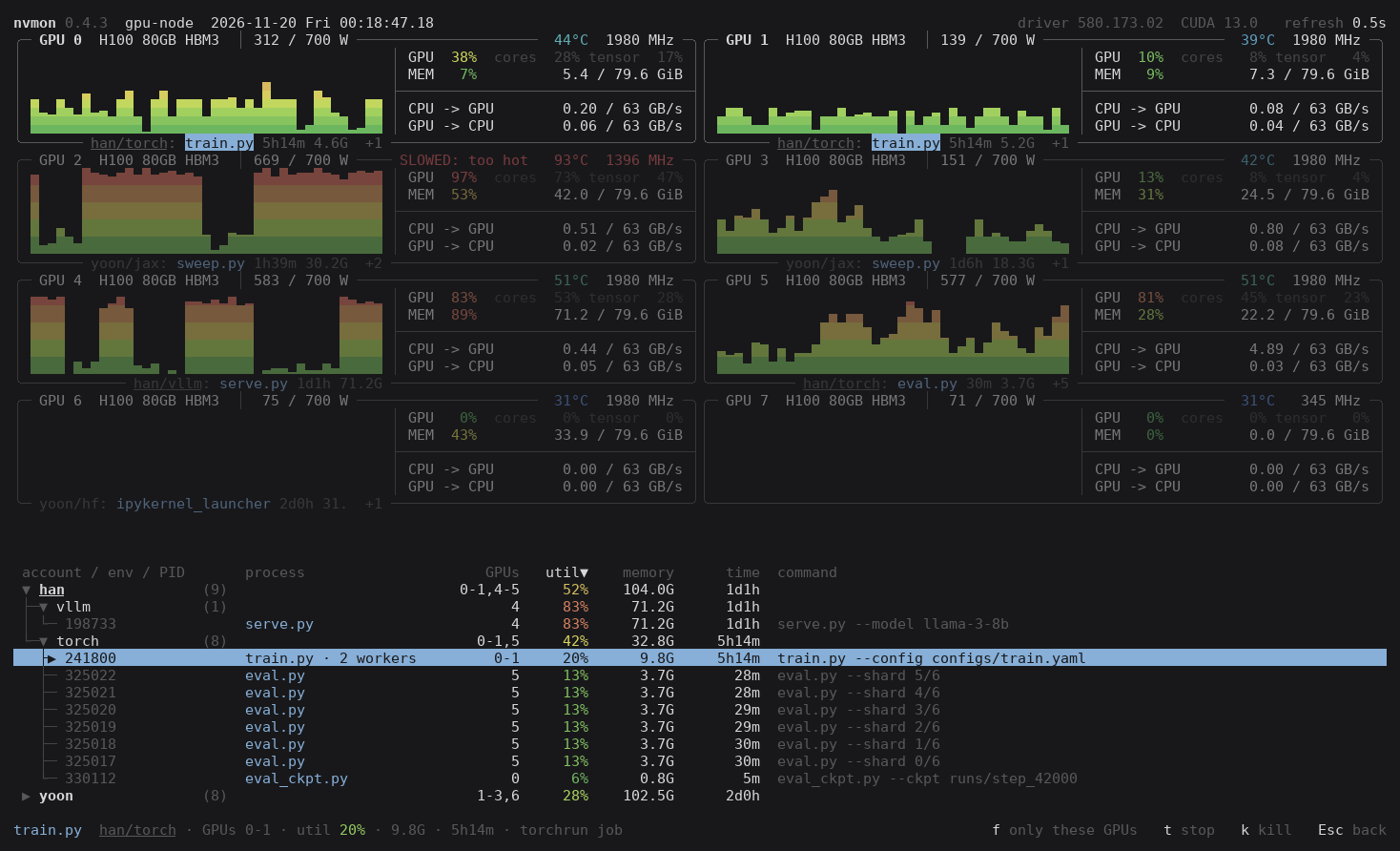
Processes in the graph's place: account, run time, memory, command. The wheel scrolls them; Shift+wheel or ← → sideways.
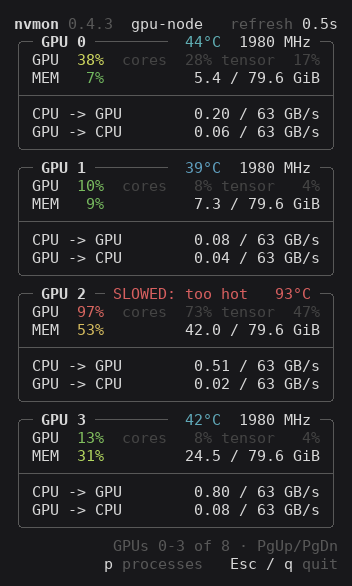
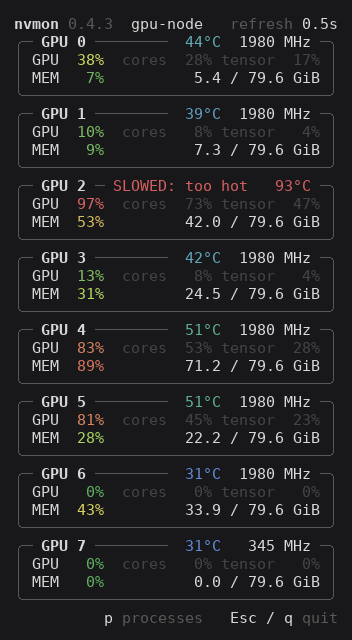
Numbers only and GPU and MEM only: narrow, always one column, for a window beside another.
| Numbers only | GPU and MEM only |
|---|---|
 |
 |
Processes and jobs: p
A job is a process, or a launcher (torchrun, deepspeed…) with its workers.
- Pick one: click a process, or go with the arrows: ← → along a box's bottom edge, ↑ ↓ from box to box. Its GPUs stand out and the bottom line sums it up.
- Pick more: each click puts one more in, or takes a picked one out. In the list, drag over lines to put them all in; a drag that starts on a picked line takes them out. A click on an empty spot lets all go, and closes the list a pick opened.
- Pick a GPU's jobs: click anywhere else in its box; the same again takes them out.
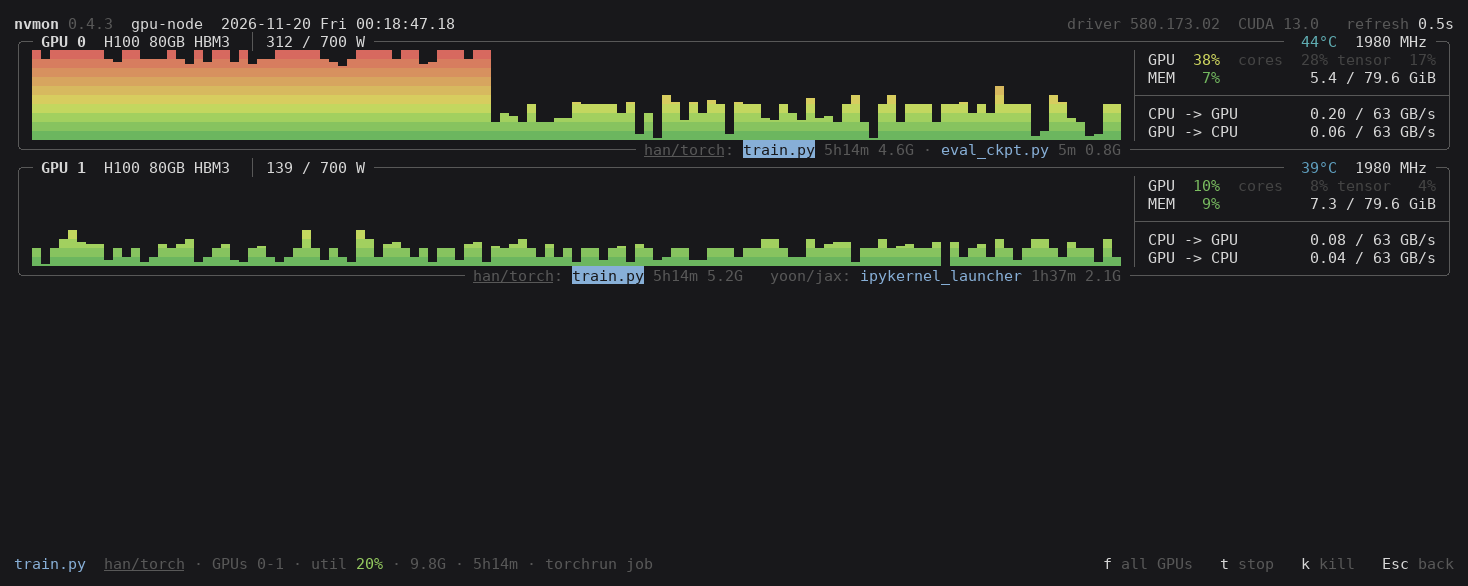
f, or a double click: only the picked jobs' GPUs; again for all.p: every job, in a tree by account and conda environment; ▶ ▼ fold, as ← → do on a picked account or environment. Click a heading to sort, again to reverse (ors,r). ← → scroll the picked job's command. Esc closes it.tstops the picked jobs of yours (SIGTERM),kkills them (SIGKILL): after ay, and only those still the jobs you picked.
The list, busiest first, one job picked; and that job with f:
Themes: c
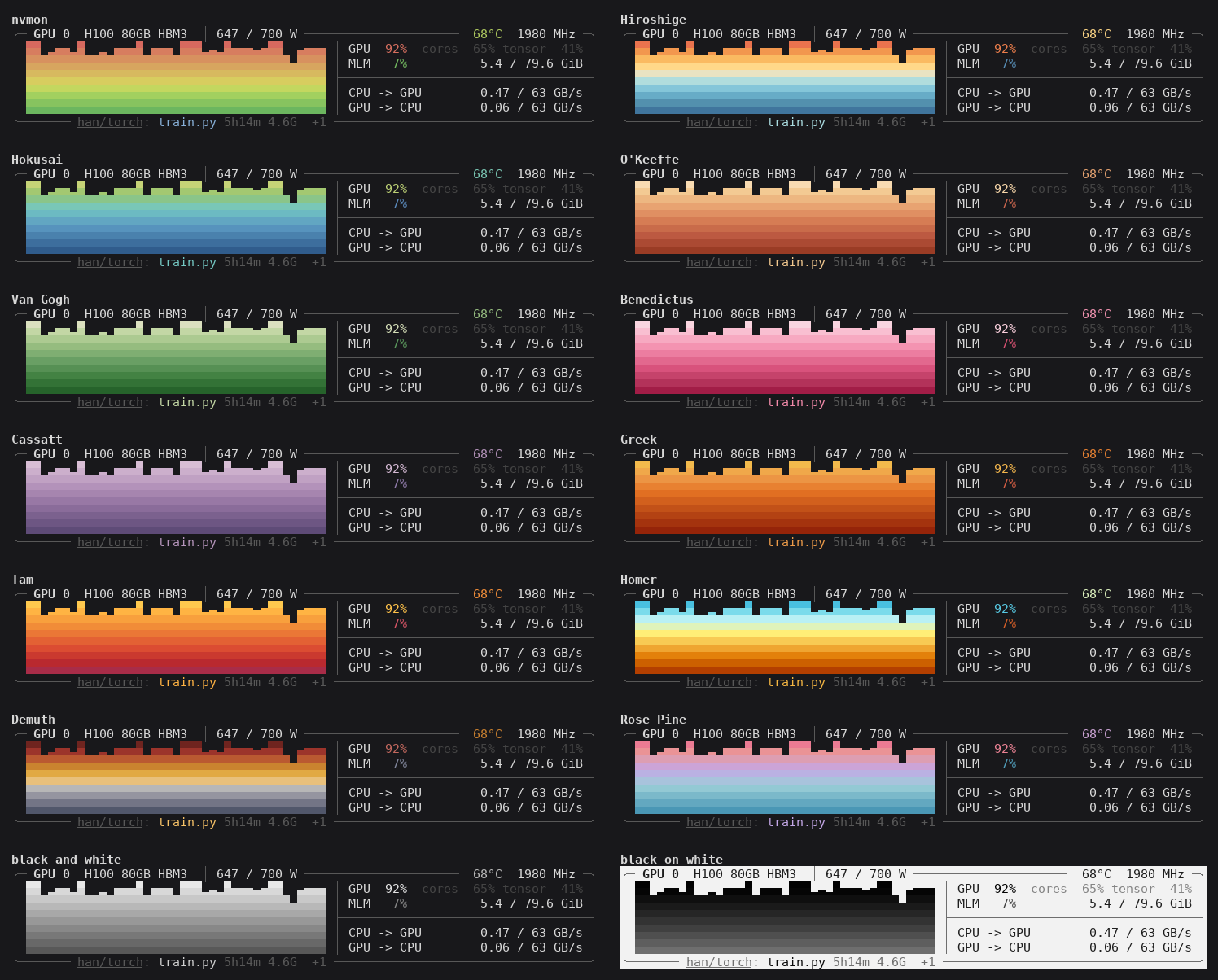
c goes through the themes, C back:
- nvmon, the default
- Hiroshige, Hokusai, O'Keeffe, Van Gogh, Bénédictus, Cassatt, Greek, Tam, Homer, Demuth: palettes of works at the Met, from MetBrewer
- Rosé Pine, from the editor theme
- black and white, and black on white
All keys
| Key | Does |
|---|---|
v / V |
next / previous view |
c / C |
next / previous theme |
p |
process list, open or close |
| point at a graph | utilization and memory then |
| click, arrows, Tab | pick a job; a click on a picked one takes it out |
| drag over the list | pick those jobs, or take them out |
| click a GPU | pick its jobs |
f, double click |
only the picked jobs' GPUs, or all |
t, k, then y |
stop (SIGTERM) or kill (SIGKILL) the picked jobs |
click a heading, s, r |
sort the list, by the next heading, the other way |
| wheel | scroll |
| PgUp, PgDn | scroll the GPUs |
- + |
refresh faster, slower |
| Ctrl+Z, Ctrl+L | put aside (fg to come back), redraw |
0-9, click a number |
hide or show a GPU |
| Esc | a step back, then quit |
q, Ctrl+C |
quit |
Hold Shift to select text.
It remembers
The view, theme, list order, hidden GPUs and refresh, for each computer you connect from, in
~/.config/nvmon/settings.json (%APPDATA%\nvmon on Windows). Delete it to start afresh.
Terminals
- Line characters drawn two cells wide (Xshell, PuTTY and the like, set up for Korean, Chinese or Japanese): nvmon notices and draws in ASCII. No 24-bit color reported: 256 colors.
- Boxes still broken: use a font with one-cell line characters (D2Coding, Cascadia Mono, JetBrains Mono, DejaVu Sans Mono) and UTF-8.
- macOS (Apple silicon): iTerm2, Ghostty or kitty; Terminal.app leaves seams in the graphs.
- Windows: use Windows Terminal.
kends a process at once; there is not, as Windows has nothing like SIGTERM. - nvmon asks PyPI once at start for a newer release;
NVMON_NO_UPDATE_CHECK=1turns that off.
License
MIT. I designed nvmon's features and usability and tested it on shared H100 servers; most of the code was written with an AI coding assistant.
Ähnliche Projekte entdecken
Wird geladen…