
Devlaner/devlane
Devlaner/devlane has 168 GitHub stars and 65 forks. GitHot measured -7 stars in 24 hours. Last checked 2026-11-20 08:14 UTC. Last push 2026-11-14.
What you can do
- Issues (work items) — Create and manage issues with description, state, priority, assignees, labels, and parent/child links. Sub-issues and a properties sidebar keep context in one place.
- Cycles — Group issues into time-boxed cycles and track progress.
- Modules — Break projects into modules for clearer scope and status.
- Views — Filter and save views so you can focus on the right issues.
Gemessener Sternzuwachs
- in 24h
- -7
- in 7 days
- Verlauf wird gesammelt
- in 15 days
- Verlauf wird gesammelt
- in 1 month
- Verlauf wird gesammelt
Nettoänderungen in überlappenden Zeiträumen, keine Tagessummen. Fehlende Messwerte bleiben leer. Sterne zeigen Interesse, nicht Qualität.
Über uns
Open-source Jira, Linear, Monday, ClickUp and Plane alternative. Devlane is a modern project management platform to manage tasks, sprints, docs, and triage.
Web und AppsREADME.md
Original
Issue tracking and project management for development teams.
Devlane helps you organize work in workspaces and projects: track issues, assign owners, group work into cycles and modules, and keep everything in sync with a clear activity feed and rich comments.
Installation
You can run Devlane in two ways:
- Self-hosted — Run the API and UI on your own infrastructure. You need PostgreSQL, Redis, and optionally RabbitMQ and MinIO (see the API and UI READMEs for environment variables and setup).
- From source — Clone the repo and run the API and UI for local development or your own deployment.
| Method | Notes |
|---|---|
| Docker | Use the API and UI Dockerfiles (or compose) with the required env and database migrations. |
| From source | See Local development below. |
Instance administrators can manage workspaces and instance settings from the instance-admin area after initial setup.
Features
- Issues (work items) — Create and manage issues with description, state, priority, assignees, labels, and parent/child links. Sub-issues and a properties sidebar keep context in one place.
- Cycles — Group issues into time-boxed cycles and track progress.
- Modules — Break projects into modules for clearer scope and status.
- Views — Filter and save views so you can focus on the right issues.
- Activity and comments — Each issue has an activity feed. Add and edit comments with a rich text editor (bold, lists, code blocks). Edit and delete comments with relative timestamps.
- Pages — Lightweight docs and notes linked to your workspace.
- Analytics — Overview and work-item analytics to see progress and trends.
- Workspace settings — Manage members (with display names), projects, and workspace-level configuration.
Screenshots
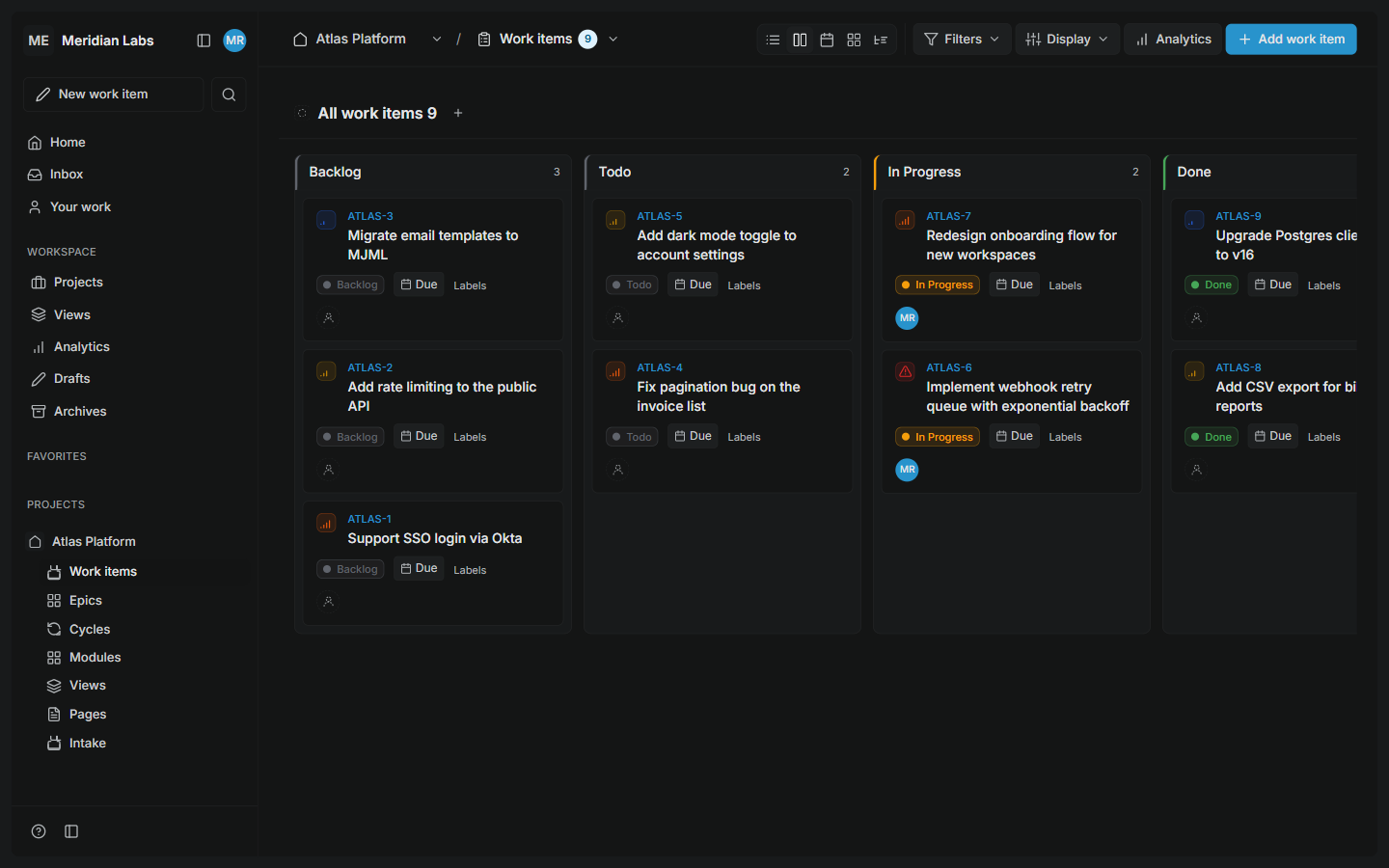
Board — work items across states with priority, assignee, and due date |
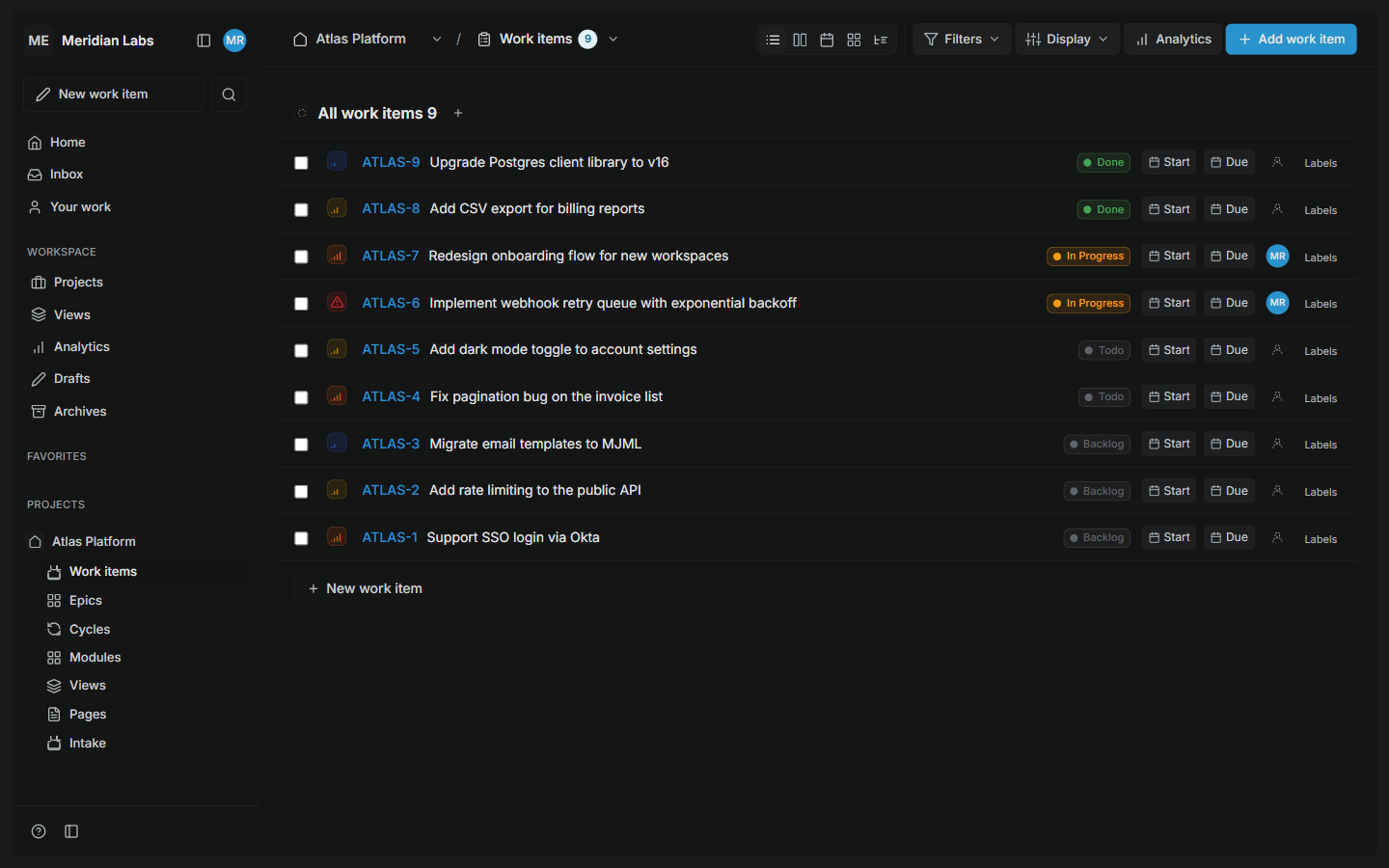
Work items list — filterable, sortable list of everything in a project |
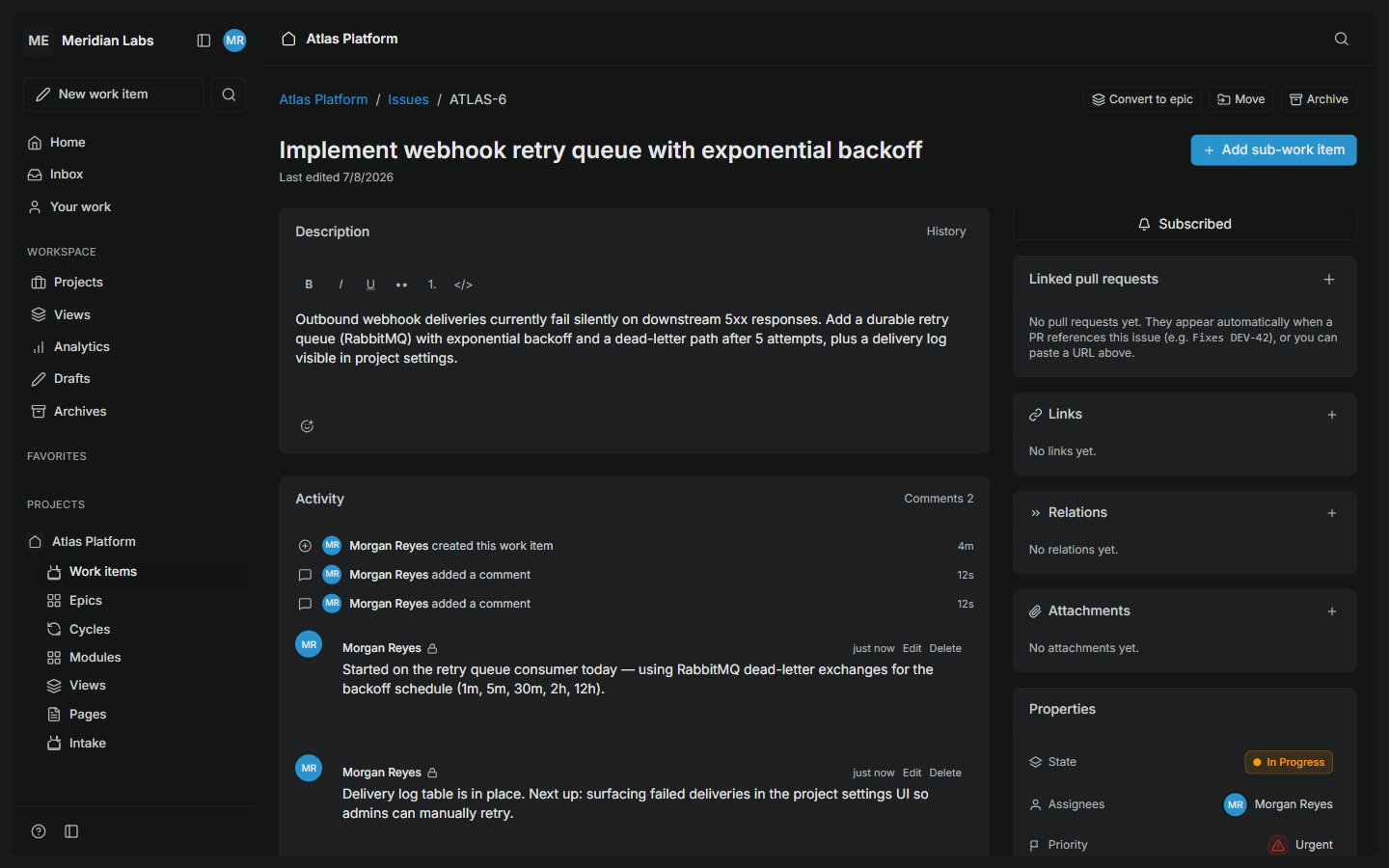
Work item detail — description, activity, comments, and properties |
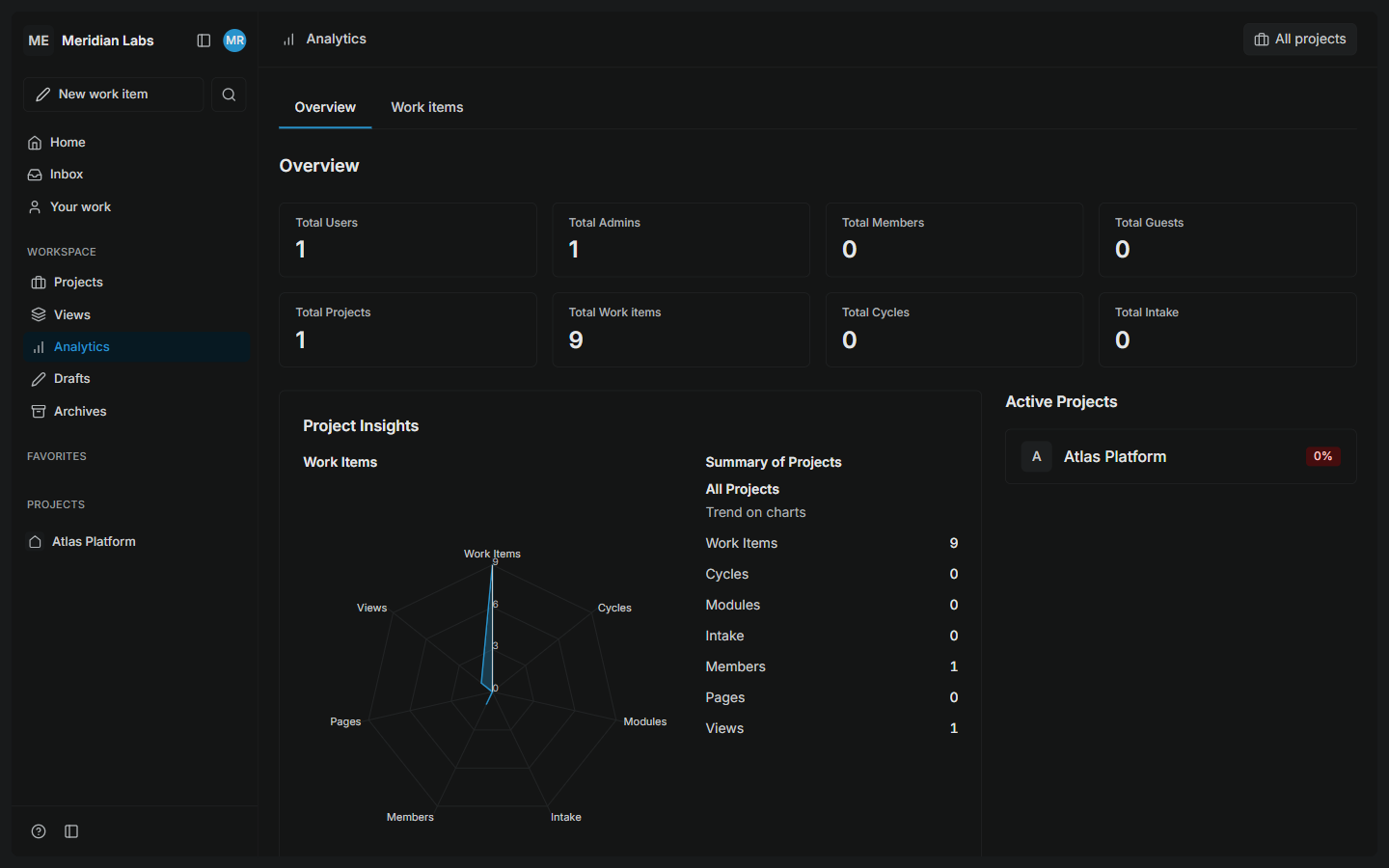
Analytics — progress and trends across the workspace |
Local development
- API — From the
apps/apidirectory, copy.env.exampleto.env, set your PostgreSQL and Redis (and optional RabbitMQ/MinIO) settings, run migrations, then start the server (seeapps/api/README.md). - UI — From the
apps/webdirectory, runnpm installandnpm run dev. Point the UI at your local API using the configured base URL. - First run — Complete instance setup in the browser (create admin account, then create a workspace and project), or run
go run ./cmd/api seedfromapps/apito populate a demo user, workspace, project, and sample work items in one step (see CONTRIBUTING).
For contribution workflow and code style, see CONTRIBUTING if present.
Built with








Documentation
- API — See
apps/api/README.mdfor setup, env vars, and running the server. - UI — See
apps/web/README.mdfor front-end setup and scripts.
Contributing
Contributions are welcome. Please open an issue for bugs or feature ideas, and read CONTRIBUTING for pull request and development guidelines.
AI-assisted contributions are accepted, but must be disclosed — note the tool in the PR's AI assistance section and add a Co-Authored-By: trailer to AI-assisted commits. See CONTRIBUTING.
Repo Activity
Contributors
Star History
License
This project is licensed under the MIT License, an OSI-approved open source license.