Projekte Auf GitHub ansehen
Collective-Software/ClickPaste
Über uns
C#-App für den Infobereich von Windows 10/11, die den Inhalt der Zwischenablage als Tastatureingaben an der angeklickten Stelle einfügt.
EntwicklerwerkzeugeGemessener Sternzuwachs
- in 24h
- 0
- in 7 days
- +1
- in 15 days
- Verlauf wird gesammelt
- in 1 month
- Verlauf wird gesammelt
Nettoänderungen in überlappenden Zeiträumen, keine Tagessummen. Fehlende Messwerte bleiben leer. Sterne zeigen Interesse, nicht Qualität.
README.md
OriginalClickPaste
Windows 10/11 notification area app in C# that can paste clipboard contents as keystrokes to whatever location you click.
Starting
- You can install ClickPaste using the MSI installer or get the portable ZIP from the Releases page
- Note that in order to paste to UAC-elevated processes, Microsoft requires the ClickPaste binary to be run from the system drive's "Program Files" folder. (The easiest way to achieve that is to use the MSI installer.)
- Launch ClickPaste from a shortcut or by double-clicking ClickPaste.exe.
Usage
First of course, you need to have some text in your clipboard. Then:
- Click the target notification icon to begin:

- Click to choose a location you want to paste the text:
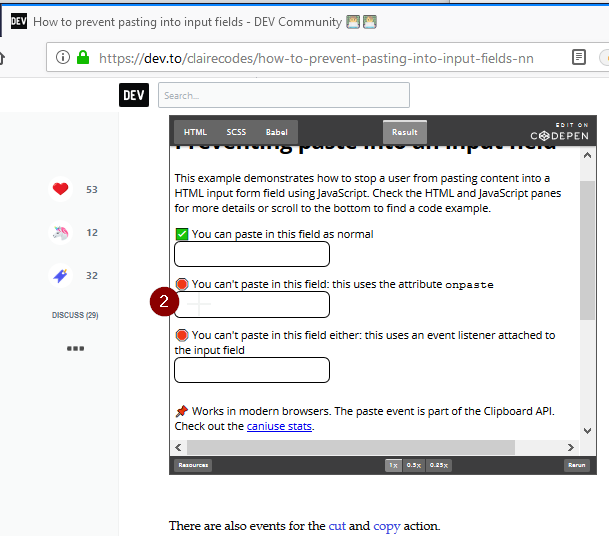
- Your clipboard contents should be typed as keystrokes onto the window you selected:

Settings
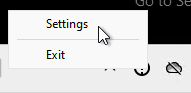
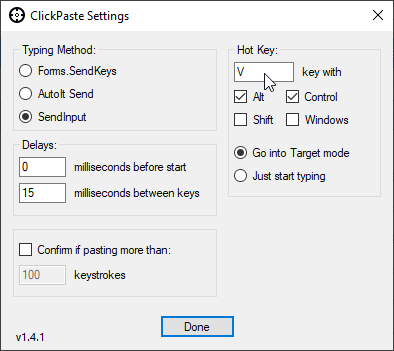
Right-click the notification icon and select Settings.
- You can change between key typing modes,
- Set how much delay there is before and between keystrokes,
- Trigger a confirmation when the clipboard contains more than a chosen number of characters,
- Configure what "hot key" combination will be used (Clear the key textbox with delete or backspace if you wish to have no hotkey),
- Configure whether the "hot key" will activate the target selector to pick a paste location or just start typing immediately.
Stopping
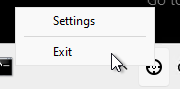
- Right-click the notification icon and select Exit.
Download
Ähnliche Projekte entdecken
Wird geladen…