
ColeMei/openwith
ColeMei/openwith has 41 GitHub stars and 1 forks. Star changes are not measured yet. Last checked 2026-11-10 23:03 UTC. Last push 2026-11-08.
So werden diese Zahlen gemessen
Manage macOS "Open With" defaults and URL scheme handlers — CLI, TUI, and native GUI
Gemessener Sternzuwachs
- in 24h
- Aktualisierung verzögert
- in 7 days
- Aktualisierung verzögert
- in 15 days
- Aktualisierung verzögert
- in 1 month
- Aktualisierung verzögert
Nettoänderungen in überlappenden Zeiträumen, keine Tagessummen. Fehlende Messwerte bleiben leer. Sterne zeigen Interesse, nicht Qualität.
README.md
Original

OpenWith
Manage macOS "Open With" defaults — from a window or from the terminal.




OpenWith is a small Rust-based macOS tool for inspecting and managing default apps for file types. It lets you see which app is currently set as the default for each file extension and update those associations from one place, without repetitive clicks or guessing bundle IDs.
It ships as two front ends over the same Rust core, sharing one change history — use either, or both.
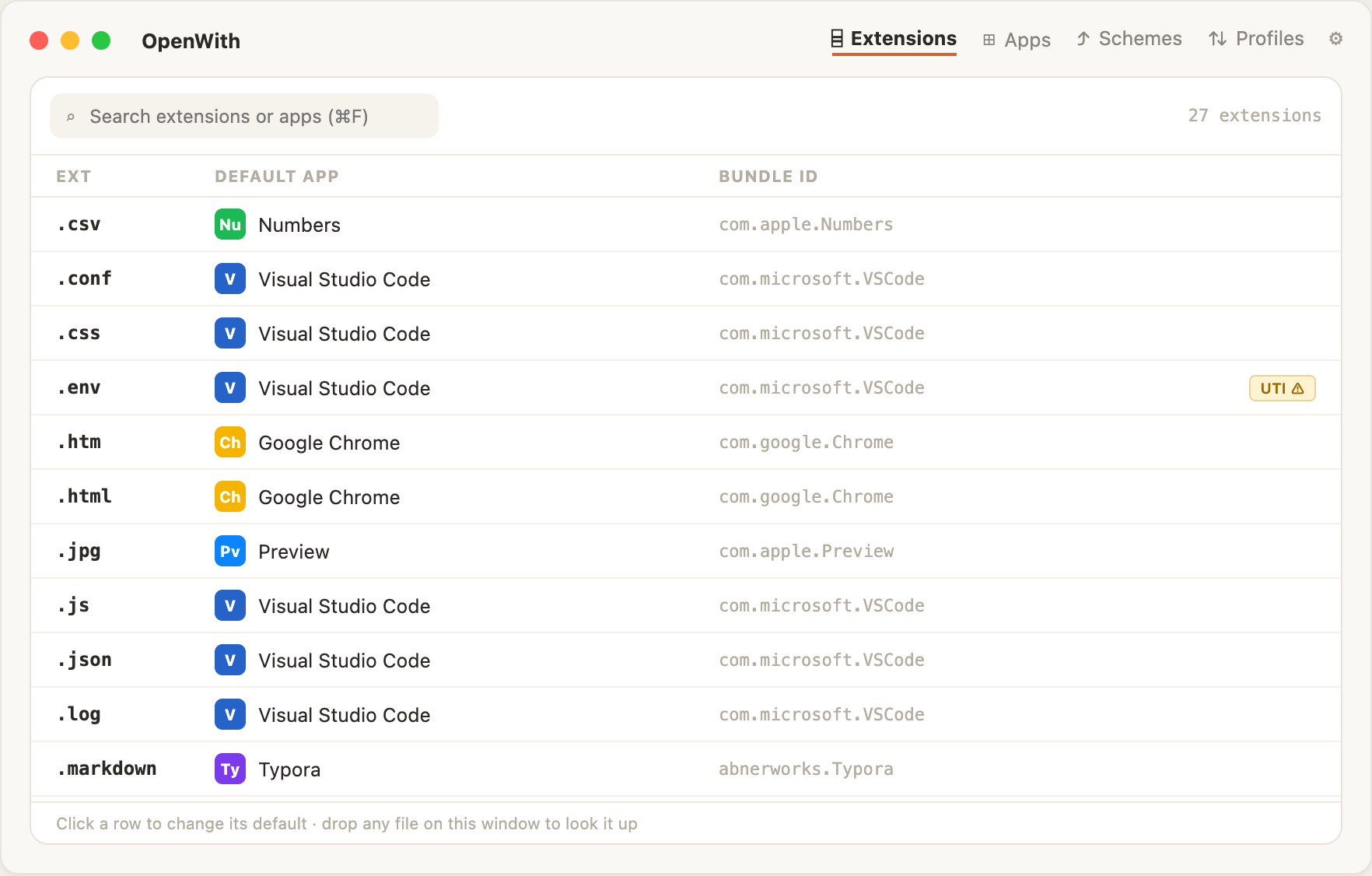
OpenWith.app — a native window, with a menu-bar popover
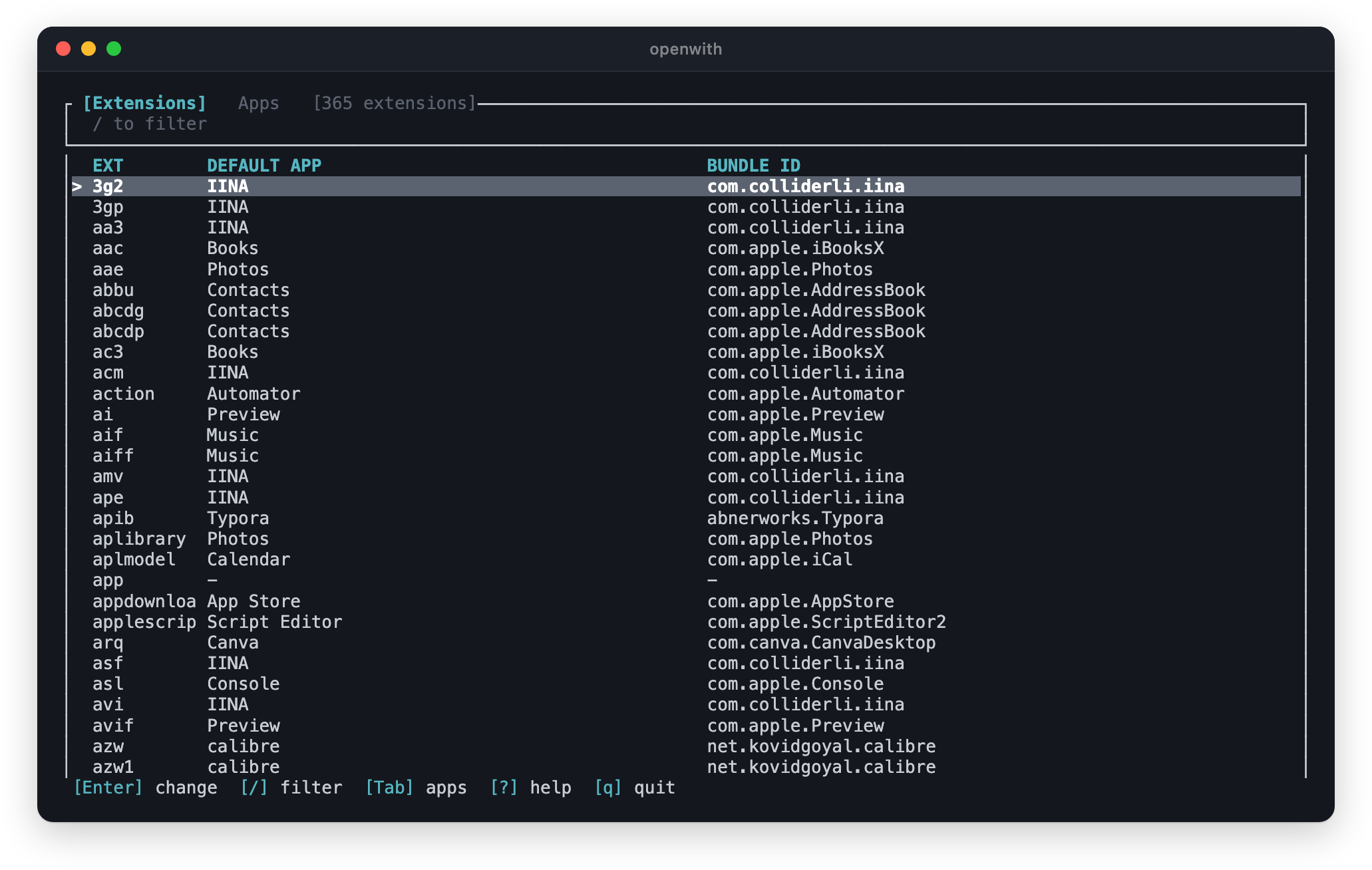
openwith — a CLI, with a full-screen TUI
Install
openwith(formula) — theopenwithcommand: CLI plus interactive TUI. Pick this if you live in the terminal or want to script/dotfile your associations.openwith-gui(cask) — OpenWith.app: a native windowed app with a menu-bar popover. Pick this if you'd rather point and click.
CLI / TUI
brew install ColeMei/openwith/openwith
If you prefer installing from source with Cargo, install Rust via rustup, then run:
cargo install --git https://github.com/ColeMei/openwith openwith-cli
For local development builds from this repository:
cargo install --path crates/openwith-cli
GUI app
brew install --cask ColeMei/openwith/openwith-gui
Or download the .dmg from the latest release.
[!IMPORTANT] The app is currently unsigned (no Apple Developer ID), so on first launch recent macOS versions claim "OpenWith.app is damaged and can't be opened". It isn't — that's Gatekeeper's message for unsigned apps, and right-click → Open no longer bypasses it. Clear the quarantine flag once and it launches normally:
xattr -dr com.apple.quarantine /Applications/OpenWith.app
Updates. The app checks GitHub for a new release once a day (Settings → Updates → Check automatically; off means it never asks). When one is out, a toast, the menu-bar popover and Settings offer Update to X…, which shows the release notes and, on Install, downloads the update, verifies its signature against the key built into the app, replaces OpenWith.app in place and relaunches. Nothing installs without that press. If installing isn't possible, it opens the release page instead. Beta-channel pre-releases always install from their release page. Replacing the app resets a custom Finder icon on it, as any reinstall does.
To build it from source instead: cd crates/openwith-gui && npm install && npm run tauri build.
Installed the cask as
openwith(pre-v0.5.2)? It was renamed:brew uninstall --cask openwith && brew install --cask ColeMei/openwith/openwith-gui.
The GUI
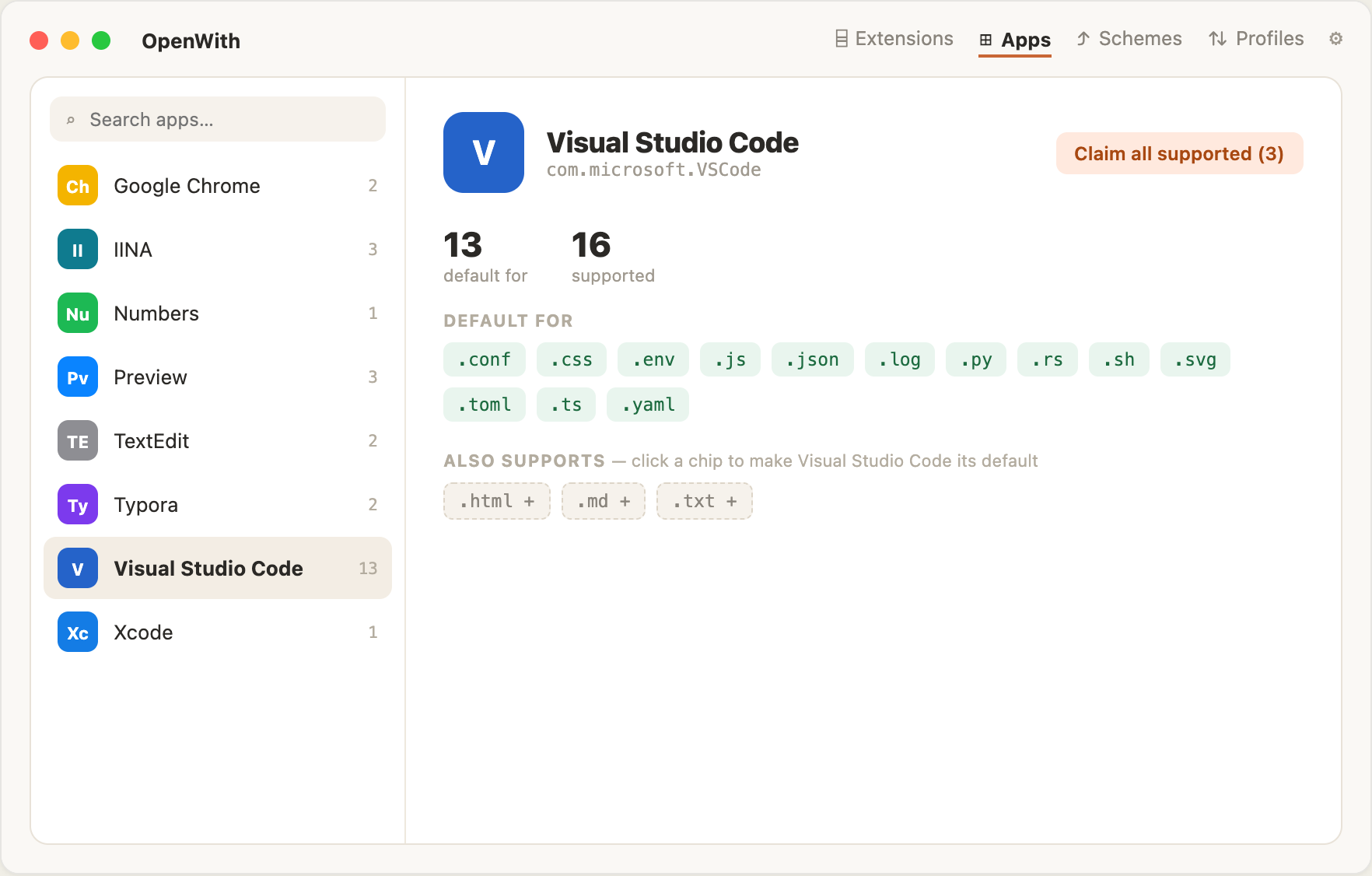
Four tabs — Extensions, Apps, Schemes and Profiles — plus a settings pane. Click any row to change its default; drop a file on the window to look its extension up.
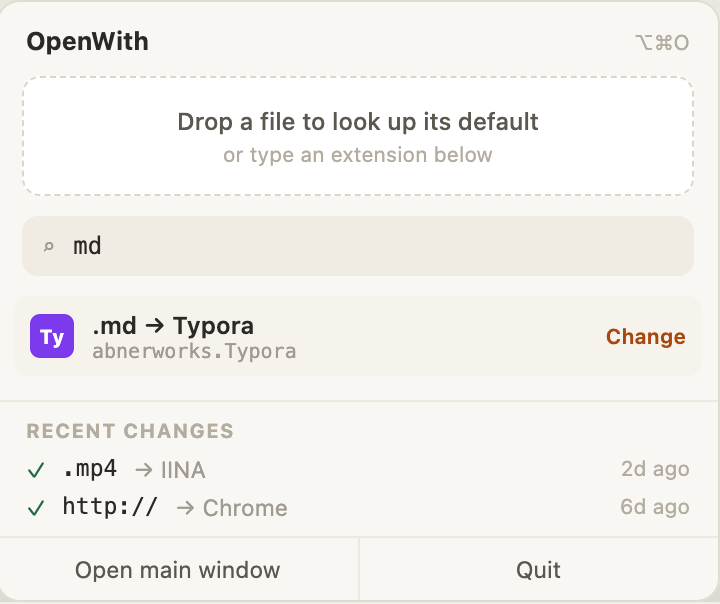
The Apps tab turns the question around: pick an app, see everything it can open, and claim any of it in one click. The menu-bar popover keeps a lookup field, recent changes and per-entry undo one keystroke away (⌥⌘O by default, rebindable).
The terminal
Quick Start
openwith                    # Launch interactive TUI (extensions view)
openwith list               # Same as above
openwith apps               # Launch interactive TUI (apps view)
openwith current pdf        # Show default app for .pdf
openwith set md Typora      # Set Typora as default for .md
openwith set md abnerworks.Typora  # Bundle IDs work too
openwith current -s http    # Show the default browser
openwith set -s http Firefox      # Set the default browser
openwith history            # Recent changes, last 7 days (recorded by CLI and GUI alike)
openwith history --all      # Everything still retained (90 days / 500 events)
openwith undo               # Revert the most recent change
Run openwith --help to see all commands.
Interactive TUI
Run openwith with no arguments to browse all file extensions, see their current defaults, and change them interactively. Press Enter on any row to pick a new default from the apps that actually declare support for it — Tab widens the list to every installed app.
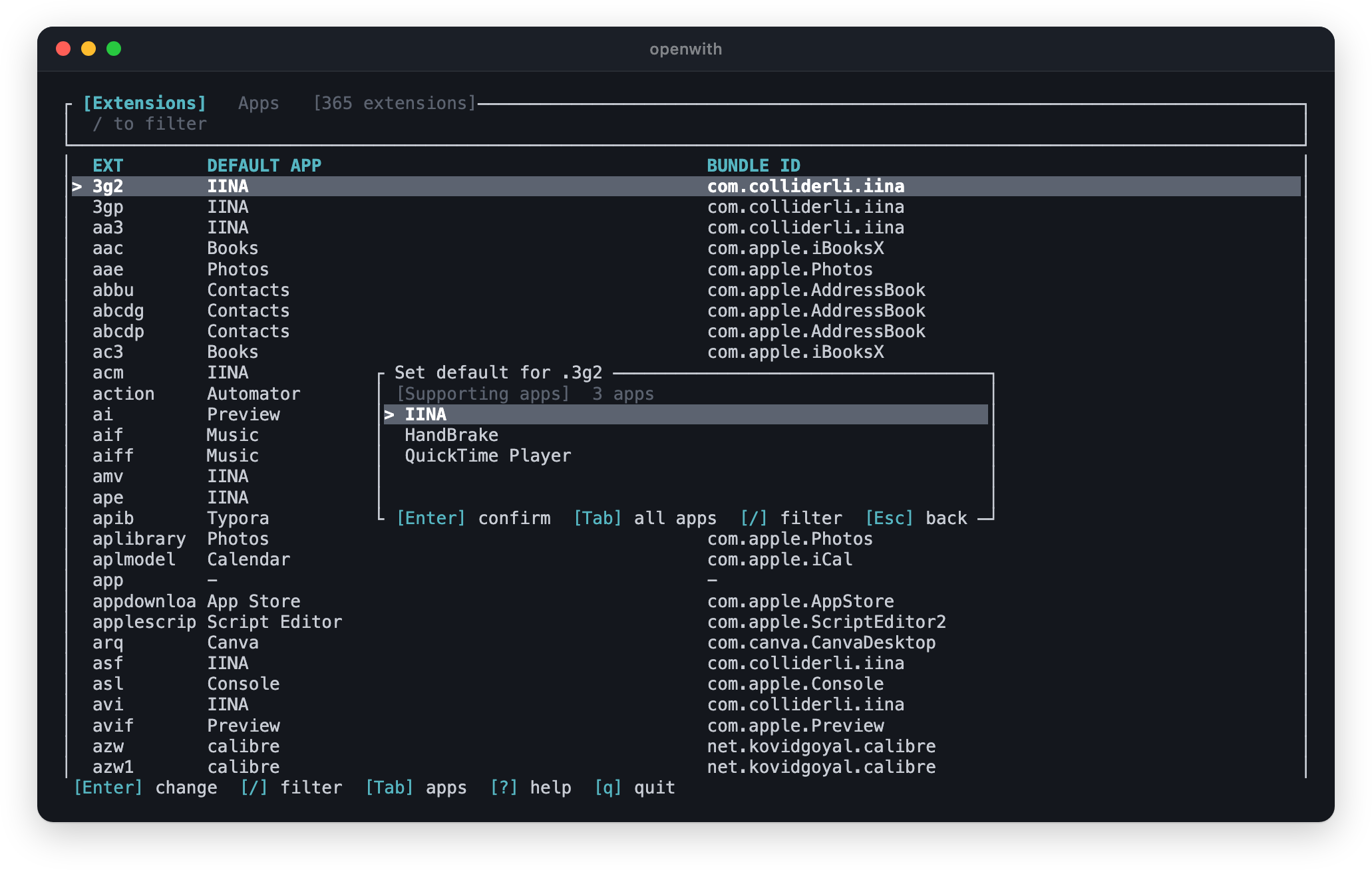
Tab at the top level switches between the two views:
- Extensions — browse all file extensions, see their current default app, and change defaults via an app picker
- Apps — browse all installed apps in a master-detail view, see which extensions each app supports and which it's the default for
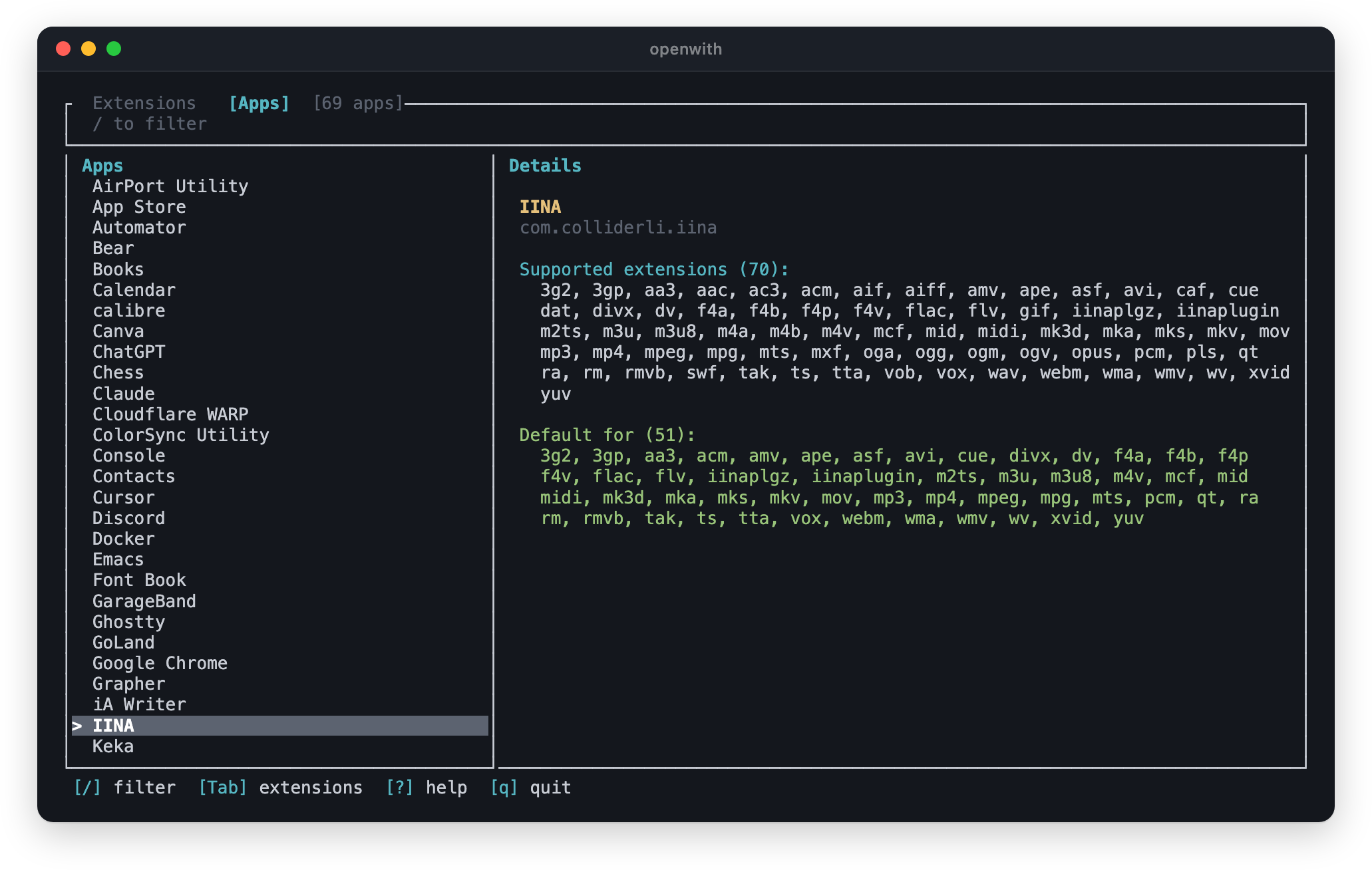
Press ? inside the TUI for keyboard shortcuts.
Export & Import
You can export your current associations to a TOML file and import them on another machine — making your "Open With" preferences portable, like a dotfile.
openwith export -o openwith.toml    # Export
openwith import --dry-run openwith.toml  # Preview what would change
openwith import openwith.toml       # Import on a new machine
The export includes a [schemes] table for URL handlers (browser, mail client). Import is idempotent: associations already set correctly are left untouched, apps that aren't installed are skipped, and every change reports what it replaced — so the same config works across machines with different setups and is safe to run from a dotfiles script.
Scripting
openwith list prints a plain table instead of launching the TUI when its output is piped, and --plain / --json force either format:
openwith list --json | jq -r '.[] | select(.app == "Preview") | .ext'
openwith current pdf --json
Shell completions
openwith completions zsh > "${fpath[1]}/_openwith"   # zsh
openwith completions bash > $(brew --prefix)/etc/bash_completion.d/openwith
openwith completions fish > ~/.config/fish/completions/openwith.fish
How It Works
- Scans
/Applications,/System/Applications, and~/Applicationsfor.appbundles - Reads each app's
Info.plistto discover supported file extensions and URL schemes - Queries and sets defaults via native macOS Launch Services APIs
Caveats
- macOS associates defaults with file types (UTIs), not extensions. Some extensions share a type:
.envresolves topublic.plain-text, the same type as.txt, so changing one changes the other.openwithwarns you and lists the affected sibling extensions whenever this happens. - Finder occasionally caches icons/defaults; if a change doesn't appear immediately, relaunch Finder or log out and back in. The association itself is applied instantly.
License
MIT
Acknowledgement
Special thanks to linux.do
Ähnliche Projekte entdecken
codecrafters-io/build-your-own-x
Meistere das Programmieren, indem du deine Lieblingstechnologien von Grund auf neu erschaffst.
561,722 Sternepublic-apis/public-apis
Eine gemeinschaftliche Liste kostenloser APIs
498,140 Sternemorluto/rea
Mit Agenten alles per Reverse Engineering untersuchen, vom Verhalten der Anwendung bis hin zu nativen Binärdateien.
451,444 Sterneopenclaw/openclaw
Die KI, die wirklich Dinge erledigt. Jedes Betriebssystem, jede Plattform. Auf die Hummer-Art. 🦞
394,329 Sterne