
BayatGames/SaveGameFree
BayatGames/SaveGameFree has 671 GitHub stars and 65 forks. GitHot measured 0 stars in 24 hours and -2 in 7 days. Last checked 2026-11-25 06:51 UTC. Last push 2025-10-06.
What you can do
- Cross Platform (Windows, Linux, Mac OS X, Android, iOS, tvOS, SamsungTV, WebGL, ...)
- Encryption with improved security
- Async/Await Support for non-blocking file operations
- Enhanced Error Handling with detailed exception messages
Gemessener Sternzuwachs
- in 24h
- 0
- in 7 days
- -2
- in 15 days
- Verlauf wird gesammelt
- in 1 month
- Verlauf wird gesammelt
Nettoänderungen in überlappenden Zeiträumen, keine Tagessummen. Fehlende Messwerte bleiben leer. Sterne zeigen Interesse, nicht Qualität.
Über uns
Save Game Free ist eine kostenlose und einfache, aber leistungsfähige Lösung zum Speichern und Laden von Spieldaten in Unity.
EntwicklerwerkzeugeREADME.md
OriginalSave Game Free
Save Game Free is a free and simple but powerful solution for saving and loading game data in Unity Game Engine.
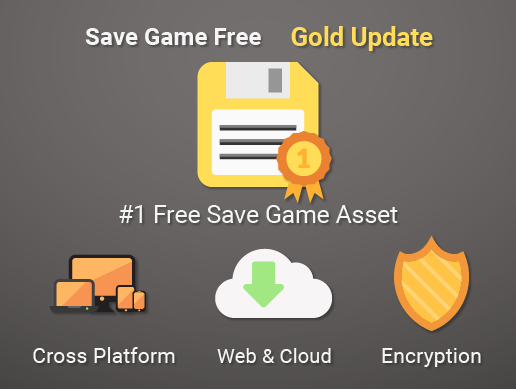
Features
The below features made Save Game Free excellent:
- Cross Platform (Windows, Linux, Mac OS X, Android, iOS, tvOS, SamsungTV, WebGL, ...)
- Auto Save
- Web Support
- Encryption with improved security
- Async/Await Support for non-blocking file operations
- Enhanced Error Handling with detailed exception messages
- Memory-efficient with automatic resource cleanup
- Easy to Use
- Simple but Powerful
- Unity 6 Compatible
Download
:sparkles: Download from Asset Store
:rocket: Download the latest version from the Releases section
:fire: Download the Source Code
Getting Started
Basic Usage
Here is a simple usage of Save Game Free:
SaveGame.Save<int>("score", score);
Full example:
using System.Collections;
using System.Collections.Generic;
using UnityEngine;
using Bayat.Unity.SaveGameFree;

public class SimpleUsage : MonoBehaviour
{
    public int score;

    void OnApplicationQuit()
    {
        SaveGame.Save<int>("score", score);
    }

    void Start()
    {
        // Load with default value
        score = SaveGame.Load<int>("score", 0);
    }
}
Async Usage (Recommended for large files)
For better performance with large save files, use async methods:
using System.Threading.Tasks;
using UnityEngine;
using Bayat.Unity.SaveGameFree;

public class AsyncUsage : MonoBehaviour
{
    public int score;

    async void OnApplicationQuit()
    {
        await SaveGame.SaveAsync<int>("score", score);
    }

    async void Start()
    {
        score = await SaveGame.LoadAsync<int>("score", 0);
    }
}
Encryption Usage
For sensitive data, enable encryption:
// Set a custom password (IMPORTANT: Use your own secure password!)
SaveGame.EncodePassword = "YourSecurePassword123!";

// Save with encryption
SaveGame.Save<string>("playerData", sensitiveData, encode: true);

// Load with encryption
var data = SaveGame.Load<string>("playerData", defaultValue: "", encode: true);
Resources
License
MIT @ Bayat Games
Made with :heart: by Bayat Games
Ähnliche Projekte entdecken
Wird geladen…