
7heMech/cloudpanel-addons
7heMech/cloudpanel-addons has 28 GitHub stars and 7 forks. GitHot measured 0 stars in 24 hours. Last checked 2026-11-15 01:59 UTC. Last push 2026-11-11.
Gemessener Sternzuwachs
- in 24h
- 0
- in 7 days
- Verlauf wird gesammelt
- in 15 days
- Verlauf wird gesammelt
- in 1 month
- Verlauf wird gesammelt
Nettoänderungen in überlappenden Zeiträumen, keine Tagessummen. Fehlende Messwerte bleiben leer. Sterne zeigen Interesse, nicht Qualität.
Über uns
Introduces an addon system to CloudPanel instances.
EntwicklerwerkzeugeREADME.md
OriginalCloudPanel Addons
Security hardening and extra features for CloudPanel. System Tweaks fixes CloudPanel security weaknesses such as nginx config injection and forged visitor IPs. See the security model and hardening.
Unofficial, not affiliated with or endorsed by CloudPanel.
Install
Log in to your server as root and run:
curl -fsSL https://github.com/7heMech/cloudpanel-addons/releases/latest/download/install.sh | bash
Checks the download's SHA-256 checksum; updates also check build provenance.
Requires an x86-64 CloudPanel host with AVX2 (Intel 2013+, AMD 2015+). On a VM,
set the CPU type to host.
When it finishes, open the new Addons tab in CloudPanel and enable the addons you want. System Tweaks is recommended.
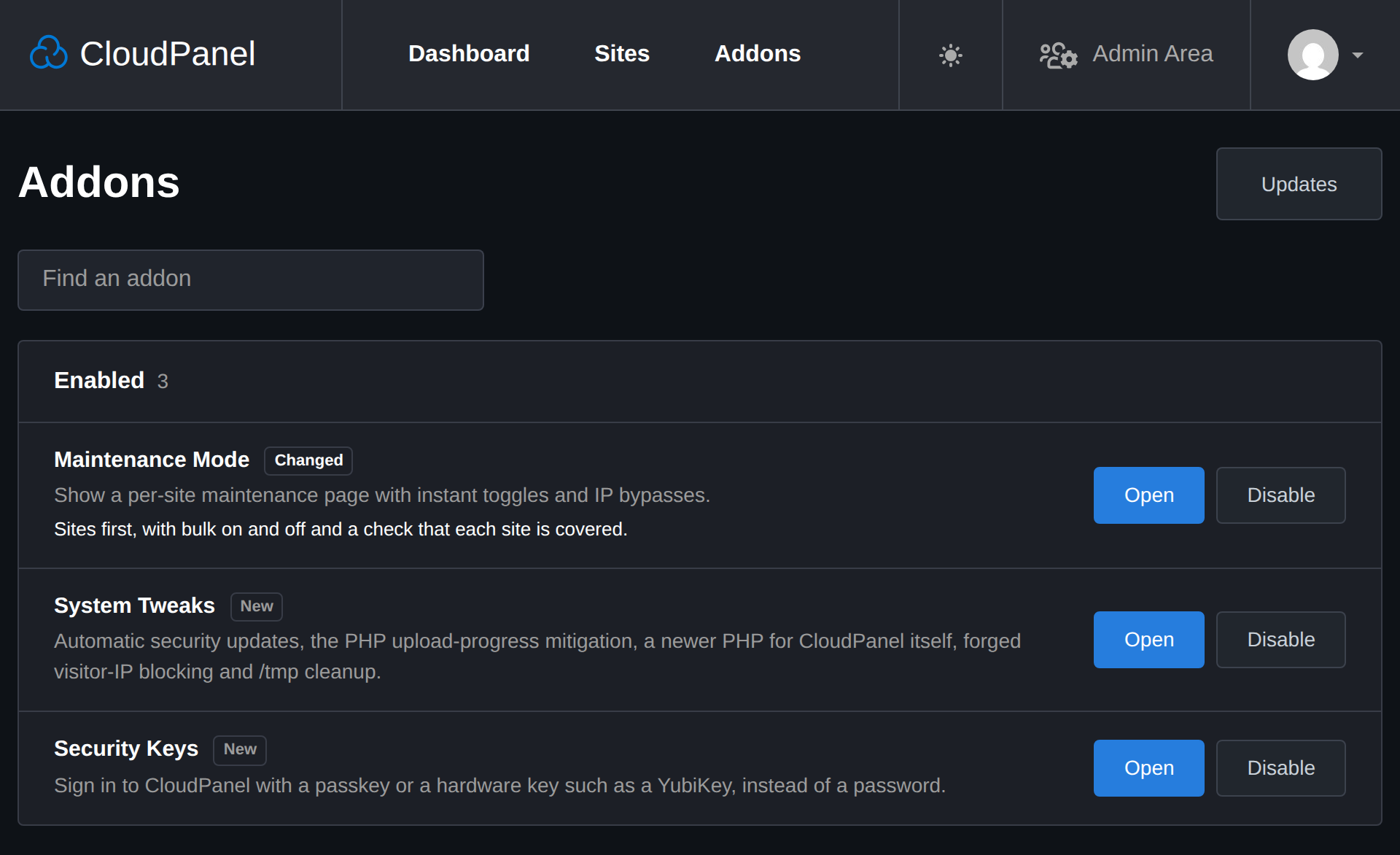
Addons
| Addon | Description |
|---|---|
| Cloudflare IP Access | Allow traffic from Cloudflare only, across all sites and for new ones. |
| DNS | Each site's Cloudflare records kept to a profile, with Mailcow set up for its mail, and redirect domains. |
| Instatic CMS | Instatic CMS sites on CloudPanel. |
| Stager | Staging copies of WordPress, PHP, static and Instatic sites, and promotion back to live. Based on clp-stager. |
| Maintenance Mode | A customizable 503 page per site, with instant toggles and IP bypasses. |
| Resource Limits | PHP worker limits by category, assigned in bulk and to new sites, and MySQL and Redis sized to the server's RAM. |
| SMTP Relay | Send each site's mail through SMTP relay profiles, WordPress and PHP included. |
| Git Deploy | Deploys from a Git remote, from the panel or from a push. |
| Panel Tweaks | Site search, columns and CSV download, automatic SSL for native sites, mobile layouts, themes and branding. |
| System Tweaks | Security hardening, automatic updates, the panel's PHP version, remote backup compression, PHP temp-file cleanup, UDP firewall rules and a server summary at SSH login. |
| WordPress Tools | One-click WordPress sign-in, plugins chosen on the new-site form, optional CLP Varnish Cache installation and MainWP Child enrollment. |
| Terminal | A shell as a site's own user, in its own window, for administrators, and a root shell for the ones root allows. |
| Security Keys | Sign in with a passkey or a hardware key such as a YubiKey instead of a password and two-factor code, for the roles an administrator allows. Needs the panel on a hostname with a valid certificate. |
Only CloudPanel administrators see the Addons tab. Site managers can also use Git Deploy and create and manage Instatic sites. Other panel users get Panel Tweaks' site search, columns and CSV download and WordPress sign-in from the Sites page and site pages, for their own sites. Panel users add their own security keys under Account → Security, in the roles an administrator allows.
Manage
| Command | Purpose |
|---|---|
clp-addons |
As root, toggle addons and run status, repair or update. |
clp-addons status |
Check services and CloudPanel integration. |
clp-addons enable <addon> |
Enable an addon, installing Docker if it needs it. |
clp-addons disable <addon> |
Disable an addon and keep its data. |
clp-addons update |
Install the latest verified release. |
clp-addons repair |
Restore managed services and CloudPanel integration. |
clp-addons maintenance <domain> [on|off|status] |
Control or inspect maintenance mode for a site. |
clp-addons terminal root allow <user> |
Let one administrator with 2FA open a root terminal from the panel; deny takes it back, and allowing again clears a verification lockout. |
clp-addons lock <addon> |
Let the panel switch an addon's protections on but never off (new installs lock System Tweaks); unlock reverses it. |
Addon names are cloudflare-ips, dns, instatic, stager, maintenance,
resource-limits, git, panel-tweaks, system-tweaks, wp-tools, smtp, terminal
and security-keys. Run clp-addons --help for version selection options.
To remove CloudPanel Addons, disable every addon, then run
clp-addons self-uninstall --yes. Sites keep running, Instatic sites included,
and addon data stays in /var/lib/clp-addons.
See Instatic backup and restore for CloudPanel Remote Backups.
When CloudPanel updates says what the addons do after a CloudPanel update.
Develop
Requires Bun 1.4.4-canary.20261108.1 (npm install -g [email protected]) and ShellCheck.
bun install
bun run typecheck
bun run test
bun run lint:install
bun run build
Run bun run preview:ui to preview the interface at
http://localhost:4100/addons/ with sample data.
Pull requests target dev. A pull request and dev itself each deploy to the
staging CloudPanel box, so a change can be tried on a real panel; main is what
gets tagged and released.
Architecture and security choices are indexed in Decisions.
Acknowledgments
Thanks to @ccMatrix for the CloudPanel SSO and Nginx reverse proxy integration concept.